Need help? Reach us at 

 +1 (855) 418-2323
Need help? Reach us at
+1 (855) 418-2323

Do you know how many folders you have on your computer? Or how many files there are in each of these folders? And whether these files are video, audio, or text? How large these files are or who are the authors/artists? I suppose you don't. No one does. Unless..
Quick answer: To print or export directories of audio files, open Print Maestro, select the folder of music in the left panel, pick a song-list report (with artist, album, title, bit rate, sample rate, channels, and duration tags), include subfolders, preview, then print or export to HTML, PDF, Excel, RTF, CSV, or XML. Your whole audio collection is cataloged in one run.
Yes, unless you have Print Maestro.
With time, the number of folders on our computer increases. Not all of us have either the time or the inclination to put these files and folders in order. In such cases what happens? We end up spending hours looking for what we want. This problem can easily be solved with Print Maestro.
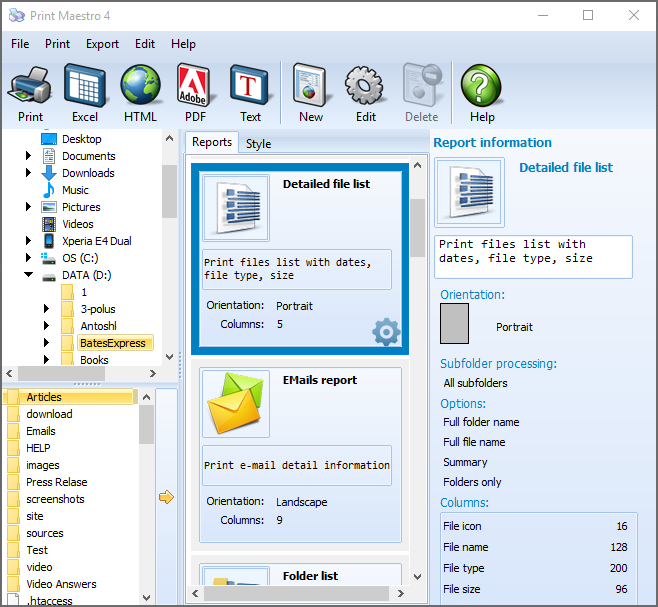
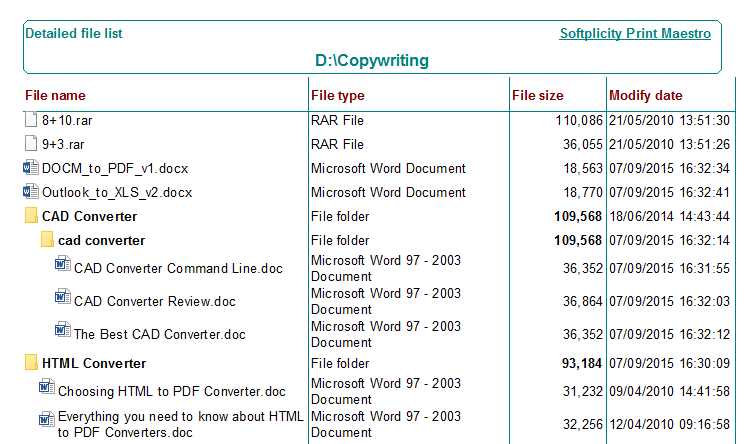
Print Maestro puts all of the file structures in order and prints your folder structure in either a tree structure or a listing of the folders and their contents. For example, if you have lots of folders with audio tracks Print Maestro will navigate your computer hard disk and print a folder structure. This folder structure will either be in a tree form or a list, and will show where what file is - with its name, size, and type.
As for how effective Print Maestro can be, take this case. You are a music buff and you have hundreds of music files on your computer spread out in many different folders. Print Maestro will track these files and print the folder structure the way you want it. Either by using the file name, size, artist, album, comment in other words tag info. Or the fields will be bit rate, sample rate, channel, duration.
The print folder structure includes subfolders. So if your folders contain subfolders, Print Maestro will print their information as well, in the same structure as the folder structure.
This is not all. Print Maestro can also export files to HTML, PDF, Excel, Rich Text Format, Picture, CSV, SQL, DBF and XML formats. There is also the print preview feature, which allows viewing the structure before actually printing it out.
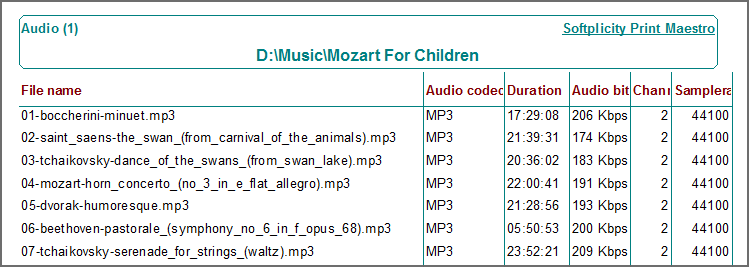
Print Maestro is easy to use, and can save and print your folder structure easily, thus enabling you to locate your files and folders effortlessly. It is rightly said - Print Maestro has made life easy.
"I've already used the program to prepare materials for presentations to educators - the software is very easy to use."
Sam Ewing, Consultant
Creative Problem Solvers
Windows XP/2003/Vista/7/8/10/11
"I catalog my digitized vinyl collection with Print Maestro. It reads the ID3 tags and exports artist, album, bitrate, and duration to Excel. I process 30+ new albums per week and the catalog stays organized."
 David Nichols Vinyl Collector
"Our radio music archive has 200,000+ audio files. Print Maestro generates a complete catalog with metadata in minutes. The Excel export feeds our broadcast planning system."
Anna Lindqvist Music Librarian, Swedish National Radio
"I use Print Maestro to maintain my DJ music library catalog. Export to PDF gives me a printable track list sorted by BPM and genre. Much easier than scrolling through folders."
 Carlos Mendes DJ, Club Lux Lisbon
Download free trial and convert your files in minutes.
No credit card or email required.


 Forensic

