Need help? Reach us at 

 +1 (855) 418-2323
Need help? Reach us at
+1 (855) 418-2323

 File Converters TIFF and PDF apps Forensic Freeware
You extracted audio from a DVD or Blu-ray, or you have .ac3 files from a video project — and now your phone, MP3 player, or car stereo will not play them. AC3 (Dolby Digital) is a surround sound format built for disc playback, not portable devices. MP3 plays everywhere. Converting AC3 to MP3 is the direct solution.
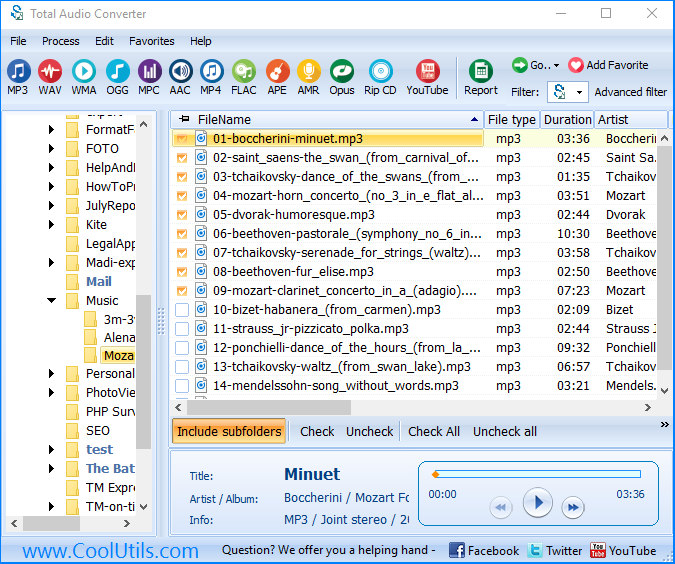
Total Audio Converter handles AC3 to MP3 conversion in batch — add files or a whole folder, set the output bitrate, click Convert. The converter downmixes multichannel surround to stereo automatically so the result plays on any device.
Quick answer: To convert AC3 to MP3, install Total Audio Converter, open the folder with your .ac3 files, check the ones you need, click MP3, set the bitrate and output folder, then click Start. It batch-converts the whole folder and automatically downmixes 5.1 surround to stereo, entirely offline — no upload, with a free 30-day trial.
(includes 30 day FREE trial)
(only $24.90)
AC3 (Audio Codec 3), marketed as Dolby Digital, was developed by Dolby Laboratories and standardized in the early 1990s. It supports up to 5.1 channels: front left, front right, center, rear left, rear right, and a low-frequency effects (subwoofer) channel. AC3 is the mandatory audio format for DVD-Video and is widely used in Blu-ray, broadcast television (ATSC), and streaming containers like MKV and VOB. Its purpose is high-fidelity multichannel playback in home theater systems. Outside that context — smartphones, portable players, basic media apps — AC3 support is absent or requires a plugin.
MP3 (MPEG-1 Audio Layer III) is a stereo audio format designed for maximum compatibility and compact file size. Introduced in 1993, it became the universal standard for portable audio. Every smartphone, MP3 player, car stereo, smart speaker, and audio editing application plays MP3 natively. MP3 is stereo only — it does not carry surround channels — but that is exactly what makes it suitable for general playback.
| Feature | AC3 (Dolby Digital) | MP3 |
| Developer | Dolby Laboratories | Fraunhofer / MPEG |
| Channels | Up to 5.1 surround | Stereo (2 channels) |
| Primary use | DVD, Blu-ray, broadcast TV | Portable audio, internet, general playback |
| Smartphone/MP3 player support | No (requires plugin or decoder) | Yes — universal |
| Typical bitrate | 192–640 kbps | 64–320 kbps |
| File extension | .ac3 | .mp3 |
| Podcast / streaming platform support | No | Yes — standard format |
Total Audio Converter includes a command-line version for server use and scripted automation. Example command:
TotalAudioConverter.exe C:\Audio\AC3\ C:\Audio\MP3\ -c MP3 -b 192
This converts all AC3 files in the source folder to MP3 at 192 kbps and saves them to the output folder. Wrap the command in a .bat file and run it on a schedule with Windows Task Scheduler for hands-off batch processing — useful when regularly extracting audio from video projects or archiving broadcast recordings.
AC3 files from DVDs and broadcast TV commonly carry 5.1 channels. A converter that does not handle multichannel audio will either fail on these files or produce broken mono output. Total Audio Converter applies a proper downmix: the center, surround, and LFE channels are folded into the stereo signal so the output sounds balanced on headphones and standard speakers.
Ripping audio from a DVD collection or archiving a season of recorded TV can mean hundreds of AC3 files. Total Audio Converter processes entire folders in one operation. Add the source folder, set the output format, click Start — the converter works through the queue and stops when finished. No dialogs between files, no manual clicks per track.
MP3 quality depends entirely on the bitrate you choose. Total Audio Converter does not lock you into a preset. Set 128 kbps for spoken audio and voice recordings, 192 kbps for music at a reasonable file size, or 320 kbps when you want the highest quality MP3 the format allows. The choice is yours per conversion profile.
All processing runs on your local machine. AC3 files extracted from DVDs or personal recordings stay on your hard drive throughout conversion. There is no upload step, no account required, and no third-party server involved. This matters when the source material is private or commercially sensitive.
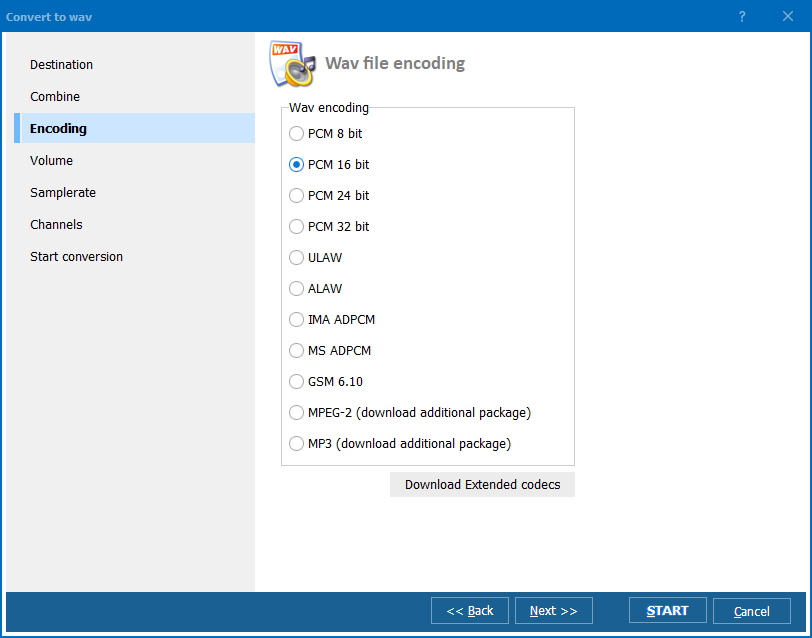
If you need AC3 audio in a different format — WAV for editing in a DAW, FLAC for lossless archiving, AAC for Apple devices — Total Audio Converter handles those targets too. You can set up multiple output profiles and process the same source files into different formats in separate runs.
| Feature | Online converters | Total Audio Converter |
| File size limit | Typically 50–200 MB | No limit |
| Batch conversion | ✘ Usually one file at a time | ✓ Unlimited batch |
| Files uploaded to server | ✘ Yes | ✓ No — local only |
| Multichannel downmix | Inconsistent | ✓ Automatic |
| Command-line / automation | ✘ No | ✓ Yes |
| Works offline | ✘ No | ✓ Yes |
| Conversion speed for large batches | Slow (upload + server queue) | Fast (local CPU) |
(includes 30 day FREE trial)
(only $24.90)
Download free trial and convert your files in minutes.
No credit card or email required.