Logo
Home Products Support Contact About Us
arrow1 File Converters
arrow1 TIFF and PDF apps
arrow1 Forensic
arrow1 Freeware

How to convert TXT to DOCX


There's an awful lot to be said for TXT files as a text-based file format. They're tiny, truly cross-platform, open in seconds in an enormous range of applications and present a truly distraction free environment for marshalling your thoughts.

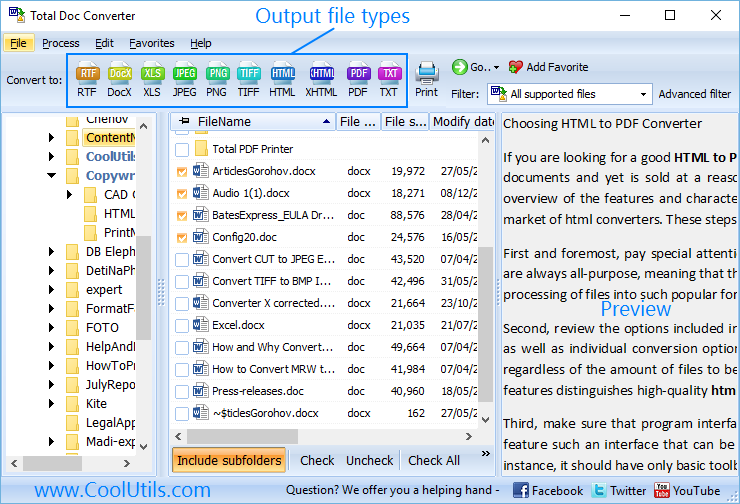
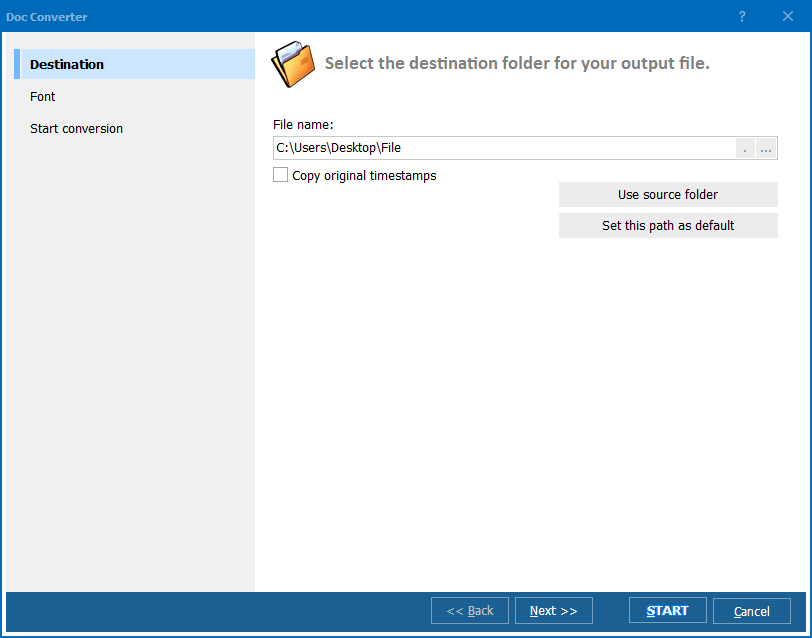
Quick answer: To convert TXT to DOCX in batch, install Total Doc Converter, open the folder of TXT files, select the ones you want, click the DOCX button, set the output folder (and a watermark if needed), then start the run. Total Doc Converter processes the whole folder at once, offline, keeping your file structure intact, no Word required.

All that said, there will of course be the occasional requirement for getting their contents into something a little more fully featured like Microsoft Word so that you can integrate formatting and graphic assets. When that's the case, you'll be looking for some sort of batch DOCX converter to save yourself potentially hours of tedious manual labour.

Our Total Doc Converter is the perfect tool for the job. It'll blaze through a huge variety of file formats and can convert TXT to DOCX in batch with ease.

Don't be tempted by the many "free online DOCX converters" out there. The tiny amount of money you'll save will be dwarfed by the amount of time wasted first finding them and then discovering they can only process one file at a time with generally poor output quality.

You also don't want to find yourself having to fire up Word and hit the "Save TXT as DOCX" option over and over again when you could be getting on with actual high-value work.

Let Total Doc Converter step in and do the heavy lifting here. It's been very carefully designed with a number of standout features that will save you and your team literally hours of time.

Adding watermarks to documents, for example, is the matter of a few clicks. The software also respects your existing file structure when dealing with files in bulk so you're not required to waste time moving files around pre- and post conversion.



download Total DOC Converter

The full power of the batch functionality can be accessed both via the command line and through the intuitive GUI. Power users will appreciate the full range of option flags that allow them to bend the software to their will with a few keystrokes. The less technically minded will be able to do exactly the same by creating their own executable BAT files via the GUI to handle common tasks.

Download a free trial version of Total Doc Converter today and discover the difference it can make to the workflow of you and your team!


quote

Total Doc Converter Customer Reviews 2026

Rate It
Rated 4.7/5 based on customer reviews
5 Star

"We export thousands of shipment notes as plain TXT from an older warehouse system, and turning them into DOCX for our records team used to be entirely manual. Total Doc Converter took the whole folder in one run, kept every file structured the way it came in, and needed no copy of Word installed on the machine."

5 Star Bartholomew Reyes Data Entry Supervisor, Reyes Logistics Group

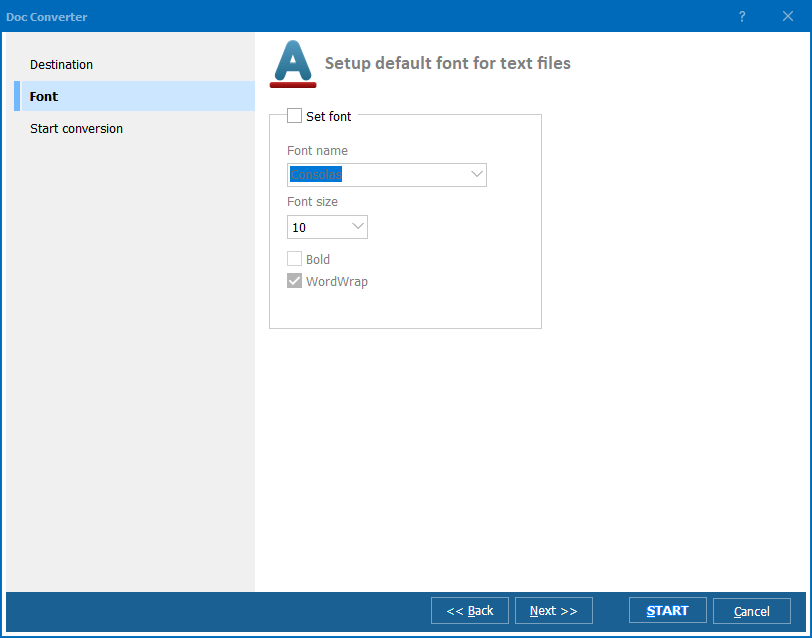
"I draft everything in plain text because it's distraction-free, but clients always want a formatted DOCX file back. Batch converting a folder of drafts at the end of the day, output folder set once, is now a two-click job. I'd like a couple more font preset options, but the conversion itself is dependable."

4 Star Yuki Tanaka Freelance Copywriter

"Our field inspectors submit reports as TXT files straight from handheld devices, and DOCX is what our filing system requires. Total Doc Converter processed a full month's worth of reports in a single batch, added our department watermark automatically, and kept every file's original name and folder intact."

5 Star Consuela Ibarra Records Clerk, Ibarra County Health Department

TXT to DOCX — FAQ ▼

How do I convert TXT to DOCX?

Install Total Doc Converter, open the folder with your TXT files, select the ones you need, click the DOCX button, set the output folder, and press Start. The text content is placed into a Word DOCX document ready for formatting.

Can I convert TXT to DOCX in batch?

Yes. Total Doc Converter processes whole folders at once. Use Check All to select every TXT file and convert them all to DOCX in one run, saving hours over re-saving each file by hand.

Is converting TXT to DOCX free?

There is a free 30-day trial with no feature limitations and no email or credit card required. A personal license is a one-time $49.90.

Does TXT to DOCX conversion lose any text?

No. The full text of each TXT file is transferred into the DOCX document with its encoding preserved. You can then add fonts, styles, and graphics in Word.

How do I convert TXT to DOCX without opening Word?

Total Doc Converter does not require Microsoft Word. It reads TXT files and writes DOCX directly, so you can convert without launching or installing Office.

Can I convert TXT to DOCX from the command line?

Yes. The command-line interface exposes the same options as the GUI. Power users can script conversions, and non-technical users can generate a BAT file from the interface.

Will my files stay organized after conversion?

Yes. Total Doc Converter respects your existing file structure, so you do not have to move files around before or after the batch conversion.


Start working now!

Download free trial and convert your files in minutes.
No credit card or email required.

⬇ Download Free Trial Windows 7/8/10/11 • 87 MB

Support
Doc Converter Preview1
Doc Converter Preview2
Doc Converter Preview3

Latest News

Newsletter Subscribe

No worries, we don't spam.


© 2026. All rights reserved. CoolUtils File Converters

Cards