Logo
Home Products Support Contact About Us
arrow1 File Converters
arrow1 TIFF and PDF apps
arrow1 Forensic
arrow1 Freeware

Convert TIFF to PDF in Batch Comfortably


The TIFF file format is undoubtedly used widely in industries related to graphics editing, faxing and printing. But there are times when you might want to access the image in a more portable and standard format like PDF.

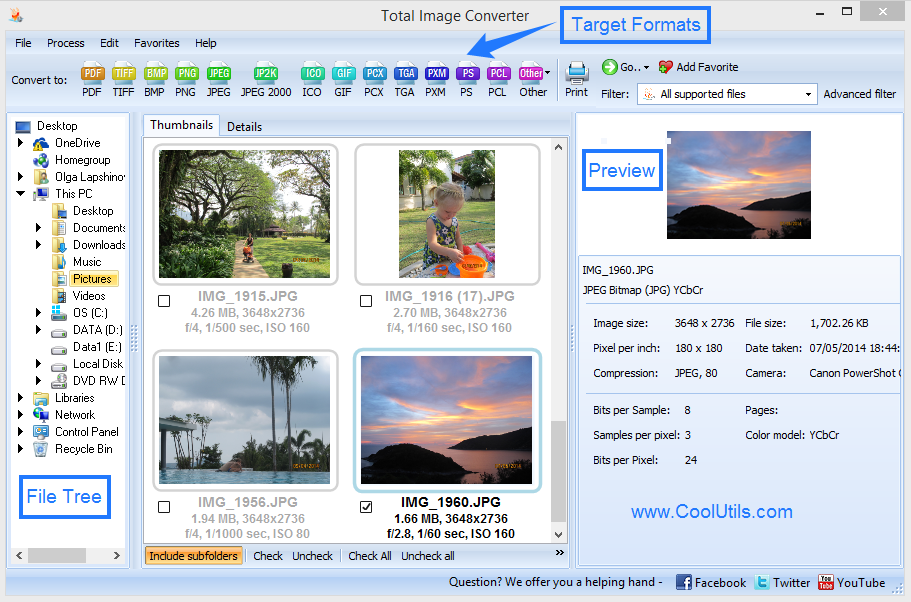
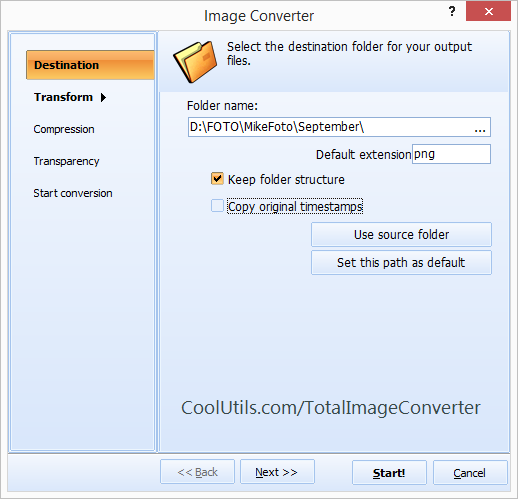
Quick answer: To convert TIFF to PDF in batch, install Total Image Converter, select all the TIFF files, click the PDF button, set paper size, properties, and compression in the wizard, then press Start. Multiple TIFF files convert to PDF in one run — you can crop, resize, or watermark along the way, and it all runs offline with no file-size limit.

So how can you convert your TIFF file into PDF? Problematic and chaotic task ahead? Not at all! Simply seek the services of Total Image Converter from CoolUtils and easily convert TIFF to PDF in batch.

This TIFF PDF Converter from the house of CoolUtils is not an ordinary one. Packed with some out of the box features, the batch image converter is sure to win your hearts. Furthermore, PDF is not the only target format - JPEG, PNG, BMP and other formats are supported by the program.

Let us explore what Total Image Converter has got for you:

  • Have multiple images to be converted to PDF? This batch image converter would convert multiple TIFF files into PDF. Save time and get rid of unwanted hassles easily!
  • Get the freedom to crop, resize and rotate the files while you convert to PDF.
  • How about setting the important properties like author and keywords in Adobe PDF format? Wish granted by the Total Image Converter!
  • Further, you also get to specify the compression filter for PDF file.
  • With the Total Image Converter software you are able to apply text or image watermarks to your output files.
  • You can also add frame to your photos.

You are welcome to test a trial version of Total Image Converter free of charge. The evaluation period is 30 days.

Save TIFF as PDF easily at a one-time cost of $24.90 and reap the benefits for years. Updates and tech support are free for the first year.

As simple as that! Convert your TIFF files into PDF today.

FAQ: Batch TIFF to PDF Conversion

How many TIFF files can I convert to PDF at once?

There is no limit. Total Image Converter handles thousands of files in a single batch run. Select entire folders and subfolders for processing.

Does batch mode preserve the folder structure?

Yes. Output PDFs are organized in the same folder hierarchy as the source TIFF files.

Can I set different options for each file?

The same settings apply to all files in a batch. If you need different settings, run separate batches with different configurations.

How fast is batch TIFF-to-PDF conversion?

Speed depends on file size and count, but multi-threading uses all CPU cores. A folder of 1,000 standard TIFF files typically converts in a few minutes.

Can I schedule batch conversions?

Yes. Use the command-line interface with Windows Task Scheduler to run automatic conversions at set times — ideal for daily scanning workflows.

Does it support multi-page TIFF in batch mode?

Yes. Multi-page TIFFs are converted to multi-page PDFs. Each source file produces one PDF regardless of how many pages it contains.


Start working now!

Download free trial and convert your files in minutes.
No credit card or email required.

⬇ Download Free Trial Windows 7/8/10/11 • 80 MB

Support
Image Converter Preview1
Image Converter Preview2

Latest News

Newsletter Subscribe

No worries, we don't spam.


© 2026. All rights reserved. CoolUtils File Converters

Cards