Need help? Reach us at 

 +1 (855) 418-2323
Need help? Reach us at
+1 (855) 418-2323

 File Converters TIFF and PDF apps Forensic Freeware
A colleague sends you a .pages file. You are on Windows — double-clicking does nothing. Apple Pages is a Mac-only word processor, and Windows has no built-in way to open or read its files. You could ask the sender to re-export as PDF, but when you have 50 such files from different people, that stops being practical. Total Doc Converter reads .pages files natively on Windows and converts them to PDF in batch — text, images, tables, and page layout included.
Quick answer: To convert Apple Pages to PDF on Windows, launch Total Doc Converter, navigate to the folder with your .pages files, tick the ones you need, click the PDF button, set paper size and any security or header options, then press Start. Total Doc Converter reads .pages natively and converts the whole folder in one offline batch, no Apple software required.
Pages is Apple's word-processing format, part of the iWork suite. A .pages file is actually a ZIP archive containing XML data, images, and style definitions. It opens natively on macOS and iOS but is not supported by Microsoft Word or any standard Windows application. Even LibreOffice handles Pages files poorly — complex layouts, fonts, and embedded objects are often lost.
PDF is a universal fixed-layout format. Fonts, images, and page geometry are embedded in the file. A PDF looks the same on Windows, Mac, Linux, and mobile devices. Converting Pages to PDF gives you a file that any recipient can open, print, and archive — no Apple software required.
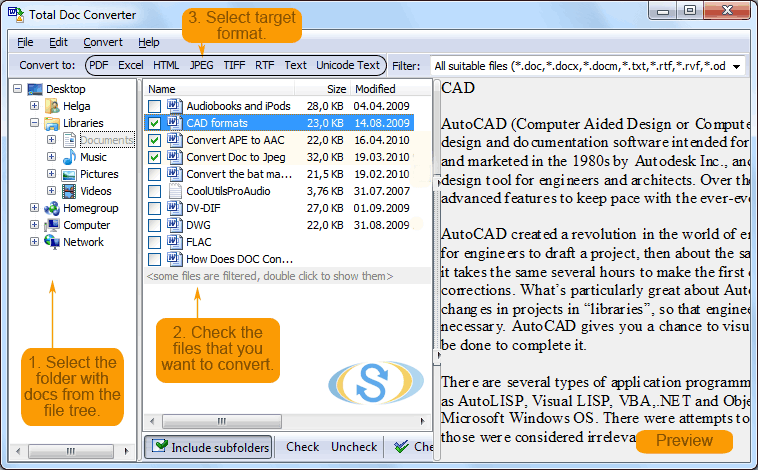
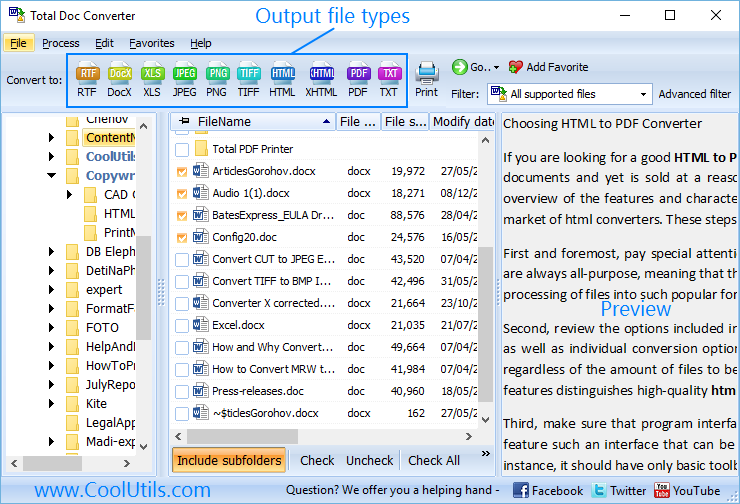
Launch Total Doc Converter. The folder tree on the left shows your drives and directories. Navigate to the folder with your .pages files and tick the ones you need. To convert an entire folder, tick the folder checkbox.
Click the PDF button in the format bar at the top. The settings wizard opens with tabs for page layout, security, header/footer, and watermark.
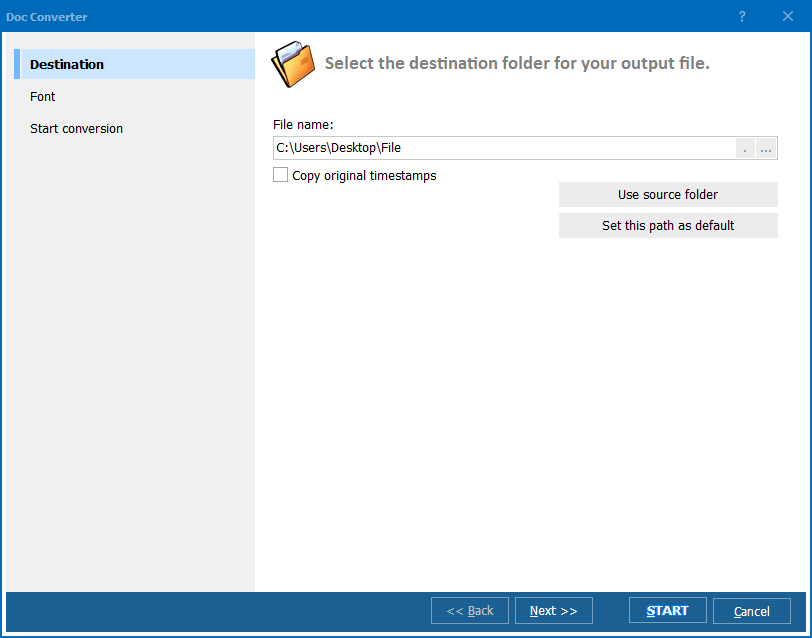
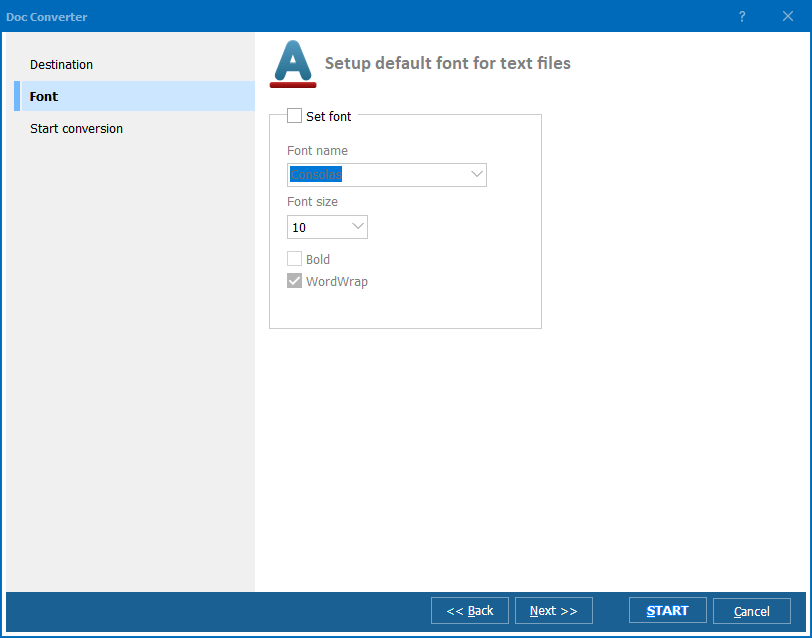
Set paper size (A4, Letter, Legal), orientation (portrait or landscape), and margins. On the Security tab, set a password or attach a digital signature. On the Header/Footer tab, add page numbers or a date stamp if needed.
Press Start. Total Doc Converter reads each .pages file, extracts the content, and writes a formatted PDF. A progress log shows the status for every file. When finished, the output folder opens automatically.
Total Doc Converter includes a command-line interface for unattended processing:
DocConverter.exe "C:\Incoming\*.pages" "C:\Output\" -cPDF -pA4
Parameters: source path (wildcards supported), destination folder, -cPDF sets target format, -pA4 sets paper size. Save this in a .bat file and run it via Windows Task Scheduler on a daily or weekly schedule. Total Doc Converter X (server edition) adds ActiveX support for integration into web applications and automated document workflows without a GUI.
| Method | Batch | Formatting | Privacy | Limitations |
|---|---|---|---|---|
| iCloud.com (online) | No — one file at a time | Good | Files uploaded to Apple servers | Requires Apple ID, manual export |
| CloudConvert / Zamzar | Limited (5–10 files) | Varies | Files uploaded to third-party servers | Size limits, slow on large batches |
| Rename to .zip + extract | Manual | No — raw XML only | Offline | No usable PDF, images lost |
| LibreOffice | Limited | Poor — layout breaks | Offline | Inconsistent with newer Pages versions |
| Total Doc Converter | Yes — unlimited | Good | 100% offline | Windows only |
No need to install Apple software or upload files to an online converter. Total Doc Converter reads .pages files directly on Windows 7/8/10/11 and extracts the content for conversion.
The same tool handles DOC, DOCX, RTF, ODT, TXT, HTML, MHTML, and more — over 15 input formats. If you receive documents in mixed formats from different senders, one converter covers them all.
Every output PDF can be encrypted with a password, signed with a digital certificate, and stamped with headers, footers, or watermarks. Set user permissions to prevent printing or copying.
Total Doc Converter X runs as a background process with no GUI. It accepts commands via ActiveX or command line and converts documents around the clock. Ideal for helpdesk inboxes, CMS imports, or archival workflows that receive .pages files.
Download the free 30-day trial — no email or credit card required. A personal license costs $49.90 and includes one year of free upgrades. Works on Windows 7/8/10/11.
Download Free Trial Buy License — $49.90
Download free trial and convert your files in minutes.
No credit card or email required.

Related Topics
Convert ODT to PDF — Batch OpenDocument to PDF Converter