Need help? Reach us at 

 +1 (855) 418-2323
Need help? Reach us at
+1 (855) 418-2323

 File Converters TIFF and PDF apps Forensic Freeware
For many years, the RTF (Rich Text File) format was one of the few reliable options out there for creating cross-platform documents before Microsoft finally bit the bullet and got around to creating DOCX.
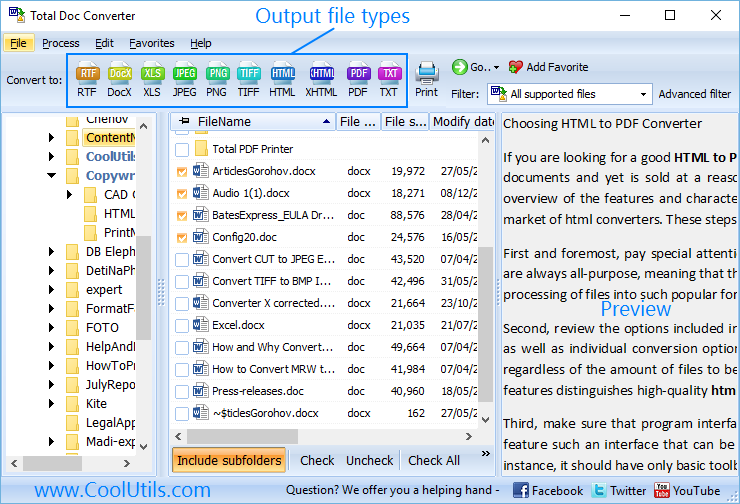
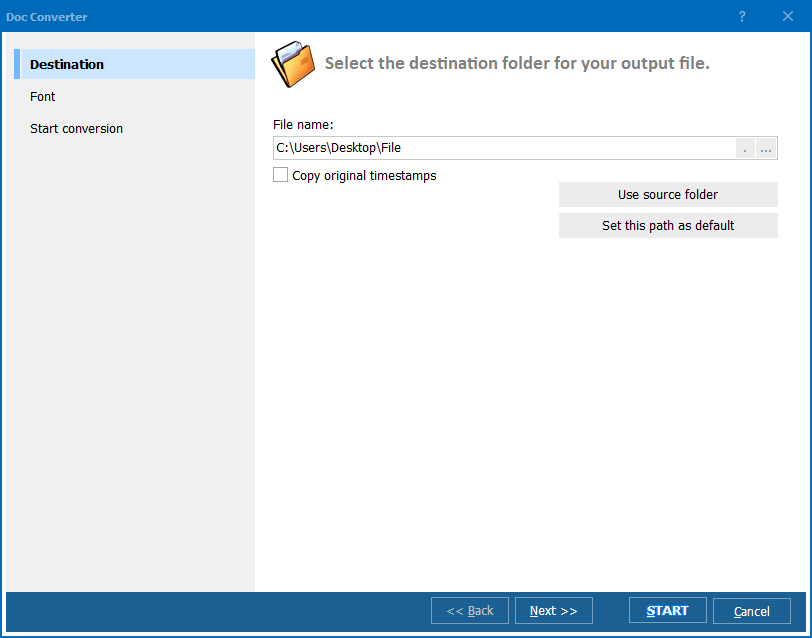
Quick answer: To convert RTF to DOCX in batch, install Total Doc Converter, open the folder of RTF files, select the files you need, click the DOCX button, optionally add a watermark and set the output folder, then start the conversion. The whole archive converts at once, offline, with formatting kept and your folder structure preserved.
It's still a solution many people swear by though you're likely to come across examples of its use in the wild on a fairly regular basis. And when you do find yourself faced with a mountain of RTF files - an archive of legacy client files for example - the subject of conversion will rear its head.
Our flagship Total Doc Converter software is designed to handle this and many other common conversion tasks. It's a fully featured batch DOCX converter you can use to blast through tasks such as needing to convert RTF to DOCX in batch in mere minutes.
There's always the option of scouring the internet for a free online DOCX converter of course but you're likely to be extremely disappointed with the results in terms of both how many files you can process at once and the quality of the output.
Performing the conversion by hand in Word is another possibility but by the time you've had your tenth go of hitting "Save RTF as DOCX", you will be wishing you'd checked out a solution like Total Doc Converter sooner.
With Total Doc Converter you are able to perform incredibly useful tasks like adding watermarks with ease. It will save you hours of time when you face the need to add your logo to each page of the output file. The converter will also respect your existing folder structure when processing files in bulk.
The software can be run via the command line with a full range of option flags for those used to that workflow. Non-technical users can use the intuitive GUI to create their own BAT files for common tasks that can be executed with a single click.

Both options, naturally, work perfectly with batch processing. We've gone out of our way to pack in the maximum amount of functionality at a price you simply will not be able to beat. We offer severl types of licenses to cover every need including the developer license good for redistribution.
Don't just take our word for it though. Take a trial download of Total Doc Converter and start discovering the enormous time savings it can bring to you and your team!
Download free trial and convert your files in minutes.
No credit card or email required.