Need help? Reach us at 

 +1 (855) 418-2323
Need help? Reach us at
+1 (855) 418-2323

 File Converters TIFF and PDF apps Forensic Freeware
Download Total Outlook Converter and start exporting your Outlook emails to HTML.
(includes 30 day FREE trial)
(only $49.90)
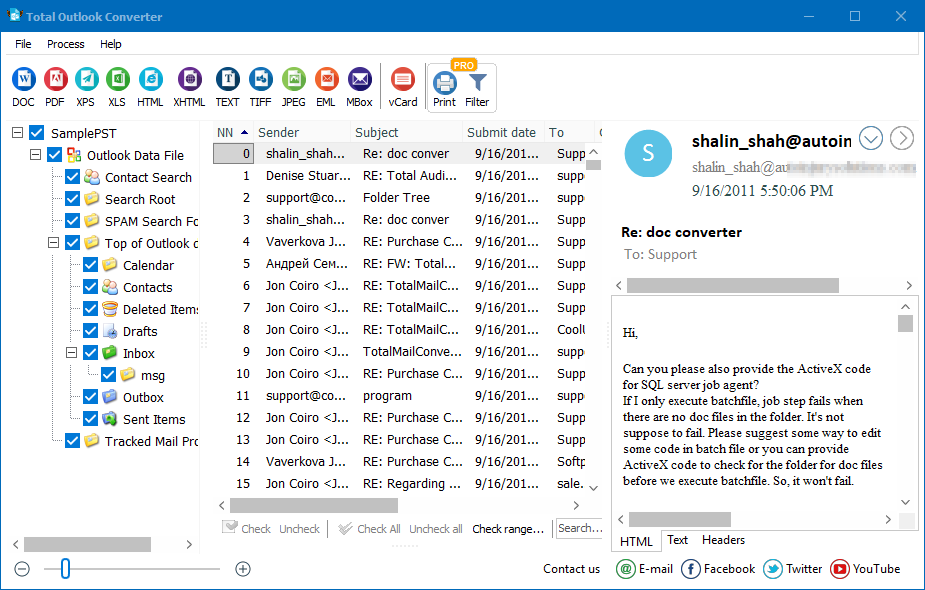
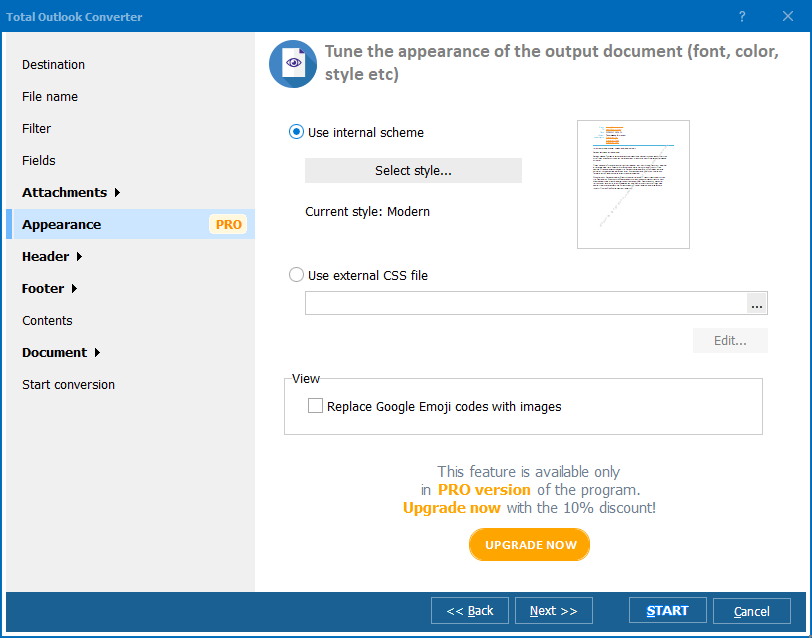
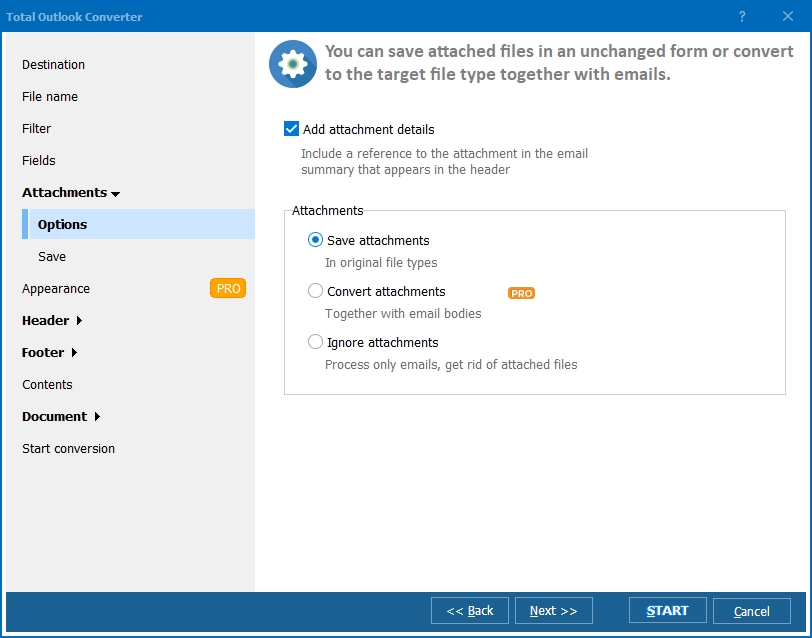
Quick answer: To convert Outlook to HTML, launch Total Outlook Converter, select the PST file in the folder tree, check the emails or click Check All, click HTML in the toolbar, set the destination, headers, and attachment options in the wizard, then press Start. Each email becomes an individual HTML file in batch, offline, preserving formatting and the original folder structure.
PST (Personal Storage Table) is Microsoft Outlook's proprietary archive format. It bundles emails, contacts, calendar entries, and attachments into a single binary file. Opening a PST requires Outlook or a specialized viewer — you can't browse individual messages in a file manager, web browser, or any non-Microsoft application.
HTML is the universal language of the web. Every device with a browser can display HTML files. Converting Outlook emails to HTML produces standalone web pages that preserve the original formatting — fonts, colors, tables, and inline images — while making the content accessible to anyone, on any platform, without Outlook.
Common reasons to convert Outlook to HTML include publishing email newsletters on a website, creating browser-searchable archives, migrating email content to a CMS, and sharing formatted correspondence with non-Outlook users.
Total Outlook Converter handles more than just HTML. You can convert PST emails to multiple formats from a single tool:
| Format | Use Case |
|---|---|
| HTML | Web publishing, browser-based archives, CMS import |
| Legal discovery, fixed-layout archiving, sharing | |
| DOC / DOCX | Editing email content in Word |
| TXT | Plain-text extraction, data analysis |
| TIFF | Court filings, document imaging |
| JPEG | Quick image snapshots of emails |
| EML | Universal email format for other clients |
| MSG | Individual Outlook message files |
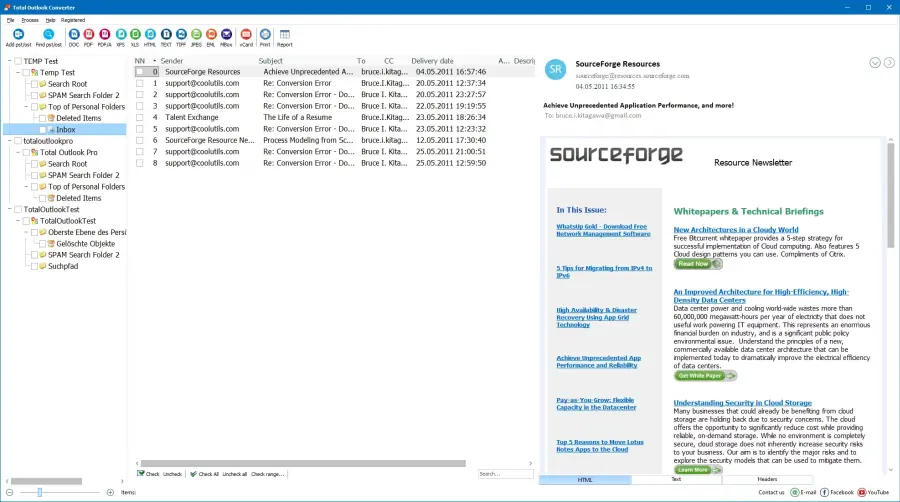
The converter preserves the Outlook folder hierarchy in the output directory — Inbox, Sent Items, and custom folders each get their own subfolder, making it easy to navigate the exported HTML archive.
Total Outlook Converter includes a command-line interface for scripted and automated workflows. Convert a PST file to HTML:
OutlookConverter.exe C:\Data\archive.pst C:\Output\ -cHTML
Convert with specific folder and attachment settings:
OutlookConverter.exe C:\Data\archive.pst C:\Output\ -cHTML -FolderTree -SaveAttachments
Schedule this as a Windows Task or embed it in a .bat script for automated PST-to-HTML exports — useful for recurring backups, compliance workflows, and web publishing pipelines.
Converted HTML files preserve the original email appearance: fonts, colors, tables, and inline images render exactly as they did in Outlook. Each email becomes a self-contained web page.
Convert an entire PST archive in one run. Select a single folder or the whole mailbox — the converter processes thousands of emails sequentially, creating one HTML file per message.
The converter recreates Outlook's folder hierarchy on disk. Inbox emails go to an Inbox subfolder, Sent Items to Sent Items, and so on. Custom folders are preserved as well.
Name output files by sender, subject, date, or a combination. This produces an organized HTML archive that is easy to search and navigate without any database.
Choose which email headers appear in the HTML output. Include From, To, CC, Subject, and Date — or hide headers entirely for clean content-only export.
All conversion runs on your local PC. Sensitive corporate email, legal correspondence, HR records — nothing leaves your machine. No internet connection required.
| Feature | Online Tools | Total Outlook Converter |
|---|---|---|
| PST support | Rarely supported | Full PST parsing |
| Batch conversion | One email at a time | Entire PST archive |
| Privacy | Emails uploaded to cloud | 100% offline |
| Folder structure | Lost | Preserved |
| HTML formatting | Basic or broken | Full rich-text rendering |
| Automation | Manual only | Built-in command line |
| Pricing | Subscription or ads | One-time $49.90 |

(includes 30 day FREE trial)
(only $49.90)
"We exported 8,000 Outlook emails to HTML for our company intranet. The folder structure was preserved perfectly, so we could mirror the original mailbox layout on the web server. Inline images and formatting came through without any manual cleanup. The batch mode saved us weeks of work."
 Margaret Holloway Knowledge Management Specialist
"Used this to create a browser-searchable archive of our executive correspondence before decommissioning an old Exchange server. The command-line mode let us automate the nightly PST export. Every email is now an HTML file indexed by Windows Search. Simple and reliable."
David Kessler IT Systems Administrator
"Good tool for converting PST emails to HTML for our regulatory archive. The header options let us include exactly the fields auditors need. Attachments are saved alongside each HTML file. Would like built-in timestamp watermarks, but the current header customization covers our requirements."
 Laura Mendes Compliance Officer
Download free trial and convert your files in minutes.
No credit card or email required.