Need help? Reach us at 

 +1 (855) 418-2323
Need help? Reach us at
+1 (855) 418-2323

 File Converters TIFF and PDF apps Forensic Freeware
It is not necessarily at the top of the most common conversion requirements list but you will at some stage find yourself having to convert Outlook to MBox. There are many situations where you will need to get text-based email content out of Outlook into a Unix-friendly format rather than the other way around.
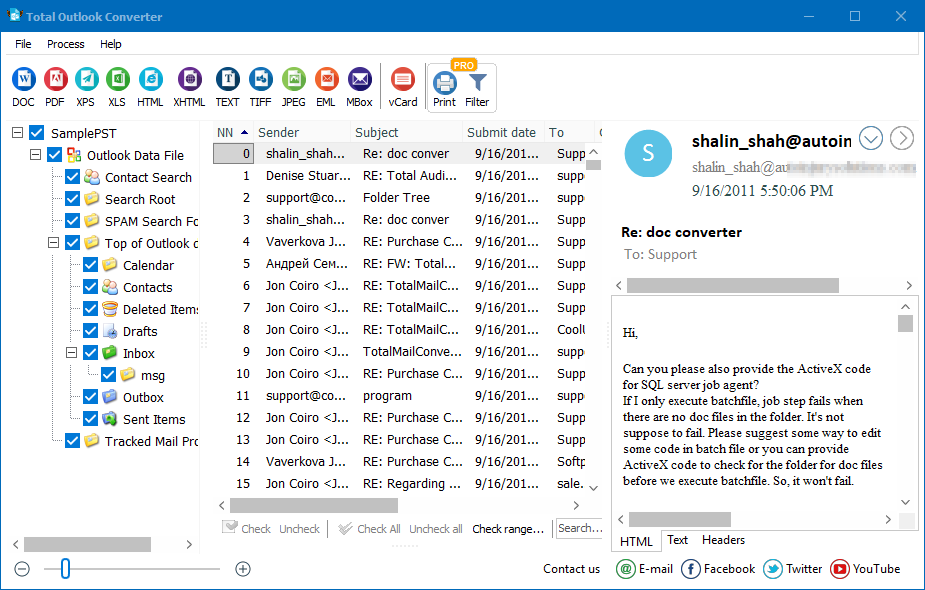
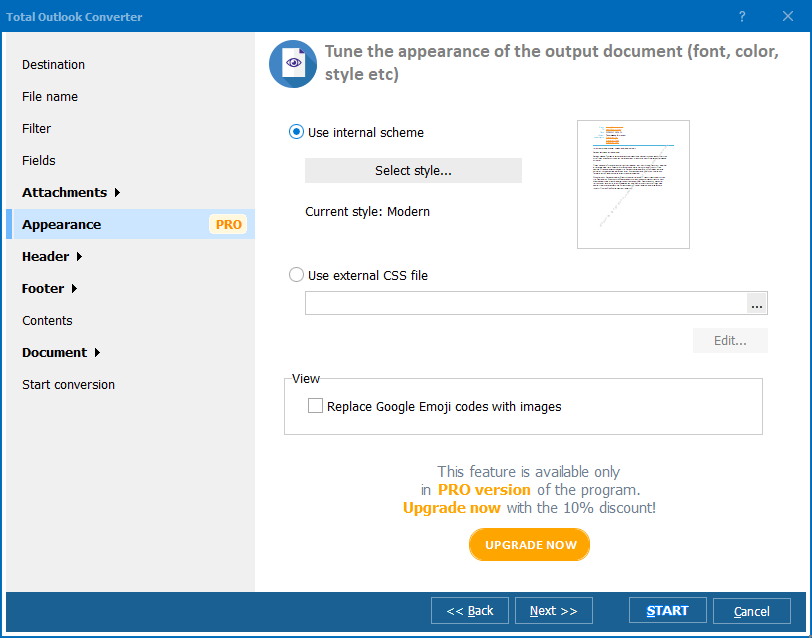
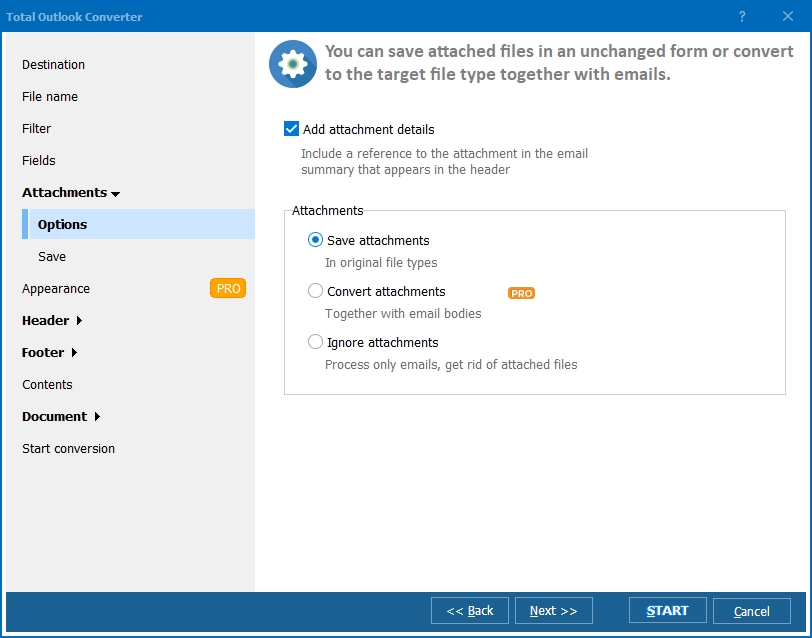
Quick answer: To convert Outlook to MBox, install Total Outlook Converter, let it find your Outlook files or open a PST, select the folders and emails to export, click the MBox button, choose which fields and how to handle attachments, then click Start. The whole mailbox converts in bulk to MBox files that Thunderbird, Apple Mail, and other clients import directly — all processed locally.

If you are faced with the task of having to migrate Outlook to MBox then you will almost certainly want to use a dedicated tool to do it rather than trying to work things out from scratch - a process that could cause a considerable amount of frustration and cost you a lot of time.
Our Total Outlook Converter is the perfect tool for those who have to export Outlook to MBox format and comes complete with a huge range of wider functionality including, but not limited to, the following:
The software is fully Windows 8 compatible and is particularly useful when used to migrate emails in bulk.
You have got two basic options in terms of running the software. Those who favour a visual environment can take advantage of the powerful desktop version with its easy to use and intuitive GUI. Command line warriors can access the full power of the software directly with just a few keystrokes.
An ActiveX-enabled server version of Total Outlook Converter is also available for those looking to run the software over a network or even integrate its functionality into their own applications.
With the amount of features packed into Total Outlook Converter as a result of over ten years of continuous development, we are confident you will not find a similar solution online at anything even close to its incredibly affordable price.
Take the software for a test drive today by downloading a fully functional 30-day free trial and start taking control of your various inboxes!
"We were moving a whole department from Outlook to Thunderbird and needed the PST folders exported to MBox without losing a single message. Total Outlook Converter found the Outlook files automatically, and after picking the folders and attachment handling, the whole mailbox converted in bulk. Every message opened cleanly in Thunderbird afterward."
 Connor Blake Systems Administrator, Blake IT Solutions
"Clients moving to Unix-based mail clients need their Outlook history as MBox, and this tool handles the PST-to-MBox conversion in a single click after the folder selection. It saved me from writing custom scripts for every migration job."
Fatima Al-Rashid Email Migration Consultant, Al-Rashid Tech Services
"Archiving old Outlook mail for an Apple Mail user on our team meant exporting to MBox format, and the process was as simple as choosing folders and clicking the MBox button. The field and attachment options during export could use clearer labels, but the conversion itself worked without errors."
 Henrik Solberg Office Manager, Solberg Maritime AS
Download free trial and convert your files in minutes.
No credit card or email required.

Related Topics
Convert Outlook to Text

