Need help? Reach us at 

 +1 (855) 418-2323
Need help? Reach us at
+1 (855) 418-2323

 File Converters TIFF and PDF apps Forensic Freeware
Many legacy applications, accounting systems, and government databases still rely on DBF files. If your data arrives as XML — from web services, ERP exports, or partner feeds — you need to convert it to DBF before it can be imported. Total XML Converter reads XML files, extracts tabular data, and saves it as dBASE-compatible DBF tables. It processes entire folders in one batch run, entirely offline.
Download Total XML Converter and start converting XML to DBF today.
(includes 30 day FREE trial)
(only $59.90)
Quick answer: To convert XML to DBF, install Total XML Converter, browse to the folder of XML files, check the files (or Check All), click the DBF button, set the destination folder and encoding, then press Start. The converter maps XML elements to DBF fields automatically and processes the whole folder in one offline batch — no upload, no file-size limit.
XML (eXtensible Markup Language) stores data in a hierarchical tree of elements and attributes. It is self-describing, supports complex nested structures, and is used for data interchange between modern systems. However, XML cannot be opened directly by database tools or legacy applications that expect flat table files.
DBF (dBASE File) is a tabular database format dating back to the 1980s. Each DBF file is a flat table with typed columns (character, numeric, date, logical) and fixed-length records. DBF files are read by dBASE, FoxPro, Clipper, many accounting packages, GIS applications (shapefiles use DBF for attribute data), and government filing systems.
Converting XML to DBF means extracting repeating XML elements, mapping their child elements to table columns, and writing the data as fixed-length records. The result is a flat table that legacy systems can import directly.
| Feature | XML | DBF |
|---|---|---|
| Structure | Hierarchical tree | Flat table (rows and columns) |
| Data types | Everything is text | Character, Numeric, Date, Logical, Memo |
| File size | Larger (verbose tags) | Compact (fixed-length records) |
| Nesting | Unlimited depth | Not supported (flat only) |
| Opens in | Text editor, XML viewer | dBASE, FoxPro, Excel, GIS tools |
| Primary use | Data interchange, APIs | Legacy databases, accounting, GIS |
| Record limit | None | ~1 billion records per file |
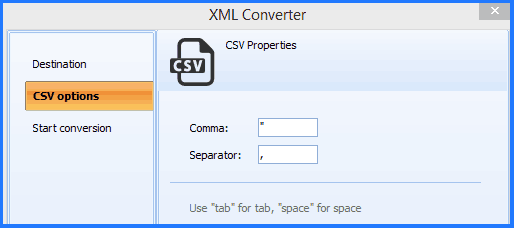
Each XML file produces a separate DBF file. Column names are derived from XML element names. Numeric values are stored as numeric fields; dates are detected and stored as date fields when possible.
Total XML Converter includes a command-line interface for scripting and automation:
XMLConverter.exe C:\Data\*.xml C:\Output\ -c DBF
This converts all XML files in the Data folder to DBF and saves them in the Output directory. Wrap the command in a .bat file or schedule it with Windows Task Scheduler to automate recurring data imports into legacy systems.
 Automatic field mapping. Total XML Converter reads the XML structure and maps repeating elements to table rows and child elements to DBF columns. No manual field configuration is required — the converter determines the table layout from the XML data itself.
Batch processing. Select an entire folder of XML files and convert them all to DBF in a single operation. Each file becomes a separate DBF table. No need to process files one at a time.
Correct data types. The converter detects numeric values, dates, and text in XML data and assigns appropriate DBF field types. This ensures that the resulting DBF table is compatible with dBASE, FoxPro, and other database tools.
Encoding support. DBF files can store data in different code pages. Total XML Converter handles encoding conversion so that non-Latin characters (Cyrillic, Chinese, Arabic) are stored correctly in the output DBF.
Offline and private. All conversion happens locally on your machine. XML data is never uploaded to any server. This is important when working with financial records, personal data, or government filings.
20+ output formats. Besides DBF, convert XML to CSV, XLSX, PDF, JSON, HTML, and more — all from the same program.
| Feature | Online Tools | Total XML Converter |
|---|---|---|
| File size limit | 5–50 MB typical | No limit |
| Batch conversion | One file at a time | Unlimited |
| Privacy | Files uploaded to cloud | 100% offline |
| DBF support | Rarely available | Full dBASE III/IV compatible |
| Field type detection | Not available | Numeric, Date, Character auto-detected |
| Automation | Manual only | Built-in command line |
| Pricing | Subscription or per-file | One-time $59.90 |

(includes 30 day FREE trial)
(only $59.90)
Download free trial and convert your files in minutes.
No credit card or email required.



Related Topics
Total XML Converter