Need help? Reach us at 

 +1 (855) 418-2323
Need help? Reach us at
+1 (855) 418-2323

 File Converters TIFF and PDF apps Forensic Freeware
Download Total Excel Converter and start turning Excel spreadsheets into professional PDF documents today.
(includes 30 day FREE trial)
(only $49.90)
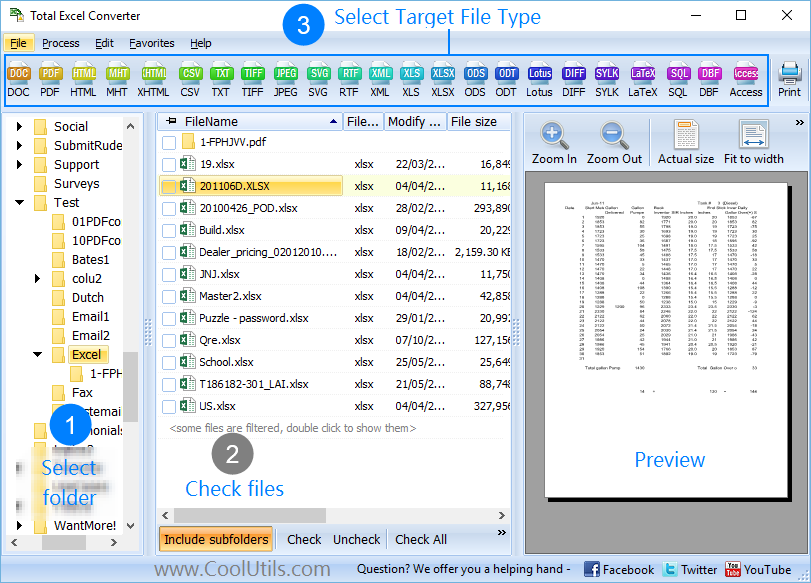
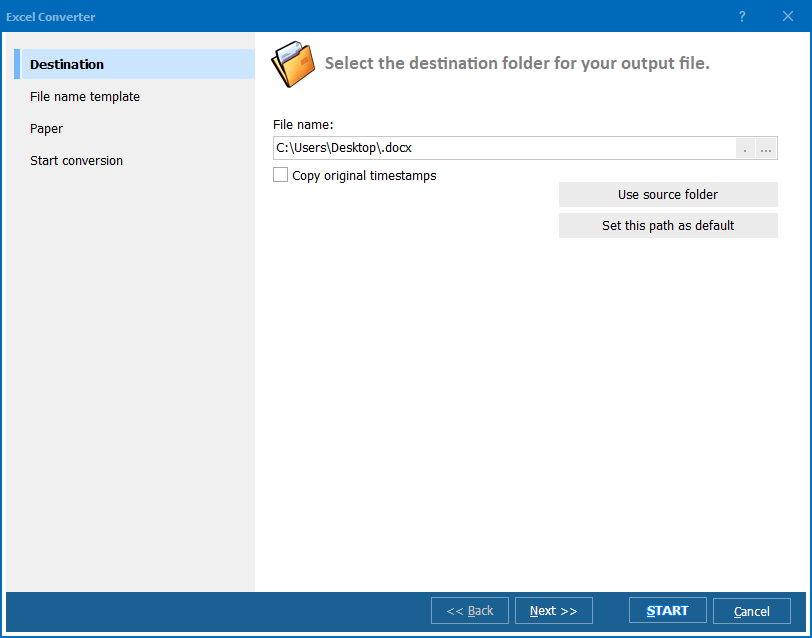
Quick answer: To convert XLSX to PDF, launch Total Excel Converter, open the folder with your XLSX files, check them (or use Check All), click the PDF button, set page size, orientation, margins, and optional password protection, then press Start. The batch runs offline, embeds fonts, and freezes the layout so the PDF looks identical on every device.
XLSX (Excel Workbook) is the default spreadsheet format since Excel 2007. It stores cell data, formulas, charts, conditional formatting, pivot tables, and styles in a ZIP-compressed XML package. XLSX files are designed for editing: anyone with Excel or a compatible application can open, modify, and recalculate the data. The downside is that the visual appearance depends on installed fonts, Excel version, and printer settings — the same XLSX file can look different on different machines.
PDF (Portable Document Format) is a fixed-layout format created by Adobe. A PDF captures the exact appearance of a document: fonts are embedded, page geometry is locked, and every viewer renders the same result. PDF files are designed for distribution and archiving — they look identical on Windows, macOS, Linux, phones, and tablets. Recipients can view and print but cannot easily edit the content.
The key difference is purpose. XLSX is for working with data; PDF is for presenting and distributing it. Converting XLSX to PDF freezes the spreadsheet layout, embeds fonts, and produces a file that looks the same everywhere — regardless of what software the recipient uses.
| Feature | XLSX | |
|---|---|---|
| Editability | Fully editable | View and print only |
| Layout consistency | Varies by system | Identical everywhere |
| Font embedding | No | Yes |
| Password protection | Limited | Full (view, print, copy control) |
| File structure | ZIP-compressed XML | Fixed-layout binary/text |
| Viewer required | Excel or compatible app | Any PDF reader (free) |
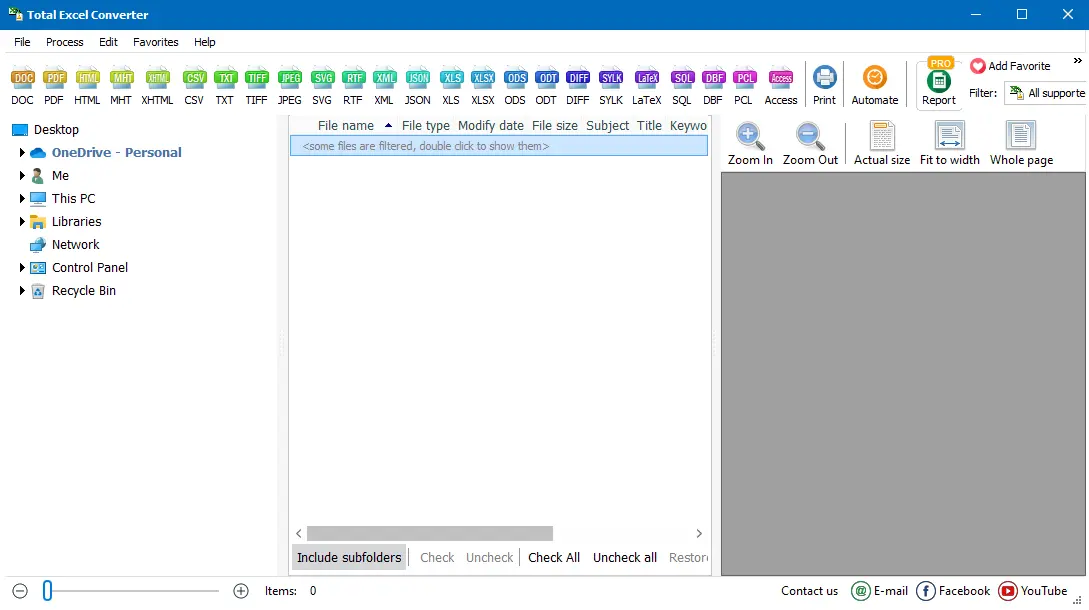
Even large batches complete in seconds. Each PDF output preserves the spreadsheet layout exactly as it appears in the print preview.
Total Excel Converter includes a command-line interface for scripted and automated workflows. Example:
ExcelConverter.exe C:\Reports\quarterly.xlsx C:\Output\quarterly.pdf
Process an entire folder of XLSX files with encryption:
ExcelConverter.exe C:\Reports\*.xlsx C:\Output\ -cPDF -PageSize:A4 -Landscape -OwnerPassword:secret
Add this to a .bat file or Windows Task Scheduler to generate PDFs from incoming spreadsheets automatically — useful for report distribution, invoice archiving, and compliance workflows.
Select hundreds of XLSX files and convert them all to PDF in a single run. The program handles large queues without slowing down — a thousand financial reports take only marginally longer than one.
Protect converted PDFs with a user password (required to open) and an owner password (controls print, copy, and edit permissions). Essential for financial reports, HR documents, and any spreadsheet containing sensitive data.
Set paper size (A4, Letter, Legal, custom), orientation (portrait or landscape), and margins. Add headers and footers with page numbers, dates, or custom text. The converter fits the spreadsheet content to the page exactly as you configure it.
Fonts, cell colors, borders, merged cells, number formats, conditional formatting, and charts survive the conversion. Your PDF looks identical to the Excel print preview — no missing columns, no truncated text.
All processing happens locally on your PC. Financial reports, salary tables, and business-critical data never leave your machine. No internet connection is required.
Besides PDF, convert XLSX to DOC, HTML, CSV, TIFF, JPEG, XML, TXT, ODS, SQL, LaTeX, and more — all from the same tool.
| Feature | Online Tools | Total Excel Converter |
|---|---|---|
| File size limit | 10–100 MB | No limit |
| Batch conversion | Limited or paid | Unlimited |
| Privacy | Files uploaded to cloud | 100% offline |
| PDF encryption | Rarely available | Built-in |
| Page layout control | Minimal | Full (size, margins, headers) |
| Speed | Depends on connection | Instant (local) |
| Automation | Manual or paid API | Built-in command line |
| Pricing | Subscription | One-time $49.90 |

(includes 30 day FREE trial)
(only $49.90)
Download free trial and convert your files in minutes.
No credit card or email required.

Related Topics
Total Excel Converter