Need help? Reach us at 

 +1 (855) 418-2323
Need help? Reach us at
+1 (855) 418-2323

 File Converters TIFF and PDF apps Forensic Freeware
Download Total Excel Converter and start converting XLSX spreadsheets to the XLS format today.
(includes 30 day FREE trial)
(only $49.90)
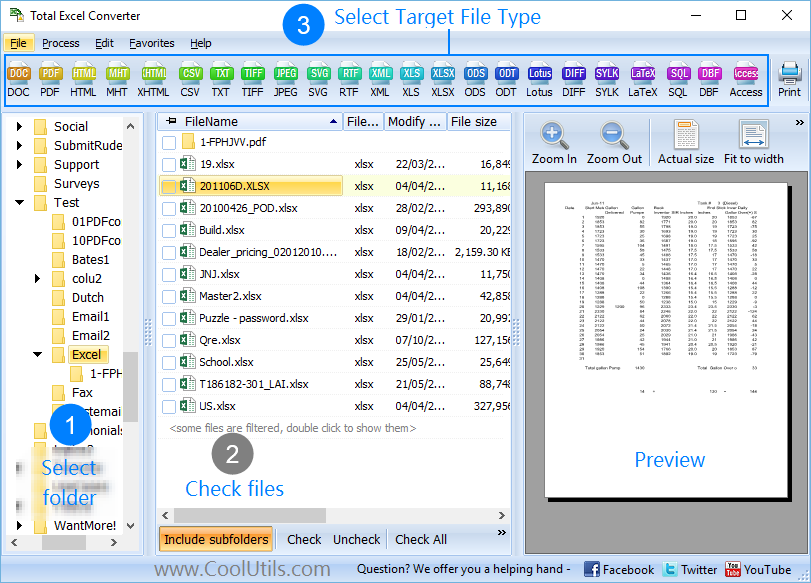
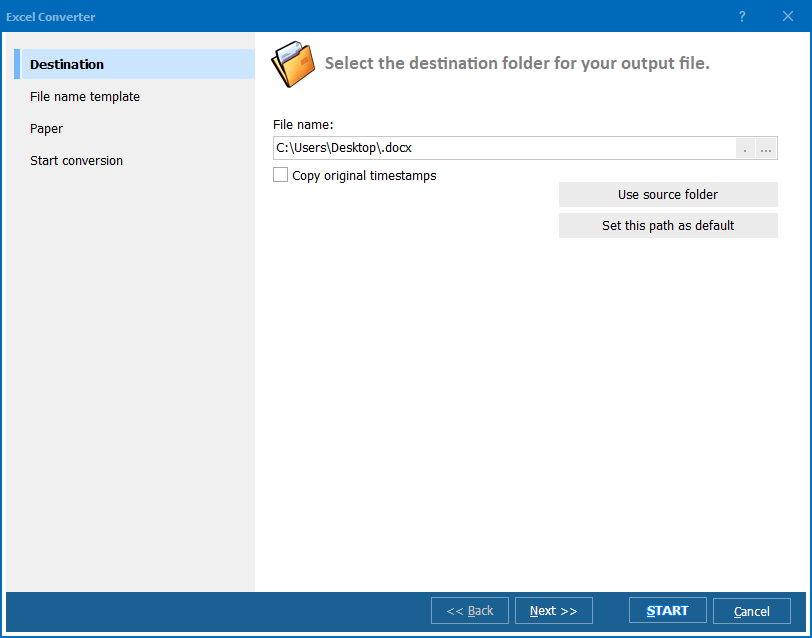
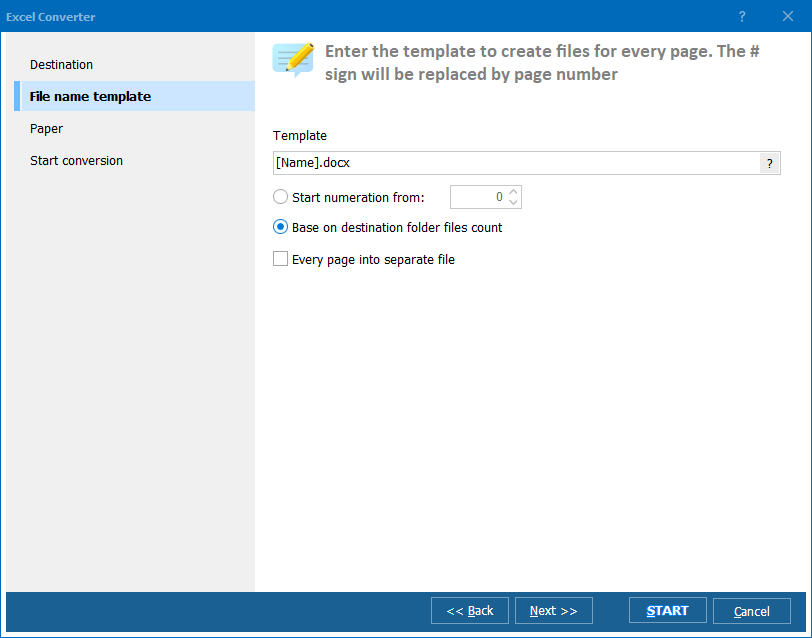
Quick answer: To convert XLSX to XLS, install Total Excel Converter, browse to the folder of XLSX files, check the ones you want, click the XLS button, set the destination folder, then press Start. The whole batch converts offline in seconds, keeping formatting and formulas, with no upload and no file-size limit.
XLSX is the default spreadsheet format in Microsoft Excel since version 2007. It is based on the Office Open XML (OOXML) standard and stores data in a compressed ZIP package of XML files. XLSX supports up to 1,048,576 rows and 16,384 columns per sheet, along with modern features like conditional formatting rules, sparklines, and advanced chart types.
XLS is the binary spreadsheet format used by Microsoft Excel from version 97 through 2003. It supports a maximum of 65,536 rows and 256 columns per sheet. Despite these limits, XLS remains in active use. Many legacy ERP systems, accounting packages, VBA macro workflows, and database import tools expect XLS input. Regulatory archives in some industries also require data in the XLS format that was standard at the time of creation.
While Excel 2007 and later can open both formats, older software cannot read XLSX at all. If you need to share spreadsheets with users on Excel 2003 or feed data into a system that only accepts .xls, converting XLSX to XLS with a dedicated tool is the cleanest solution.
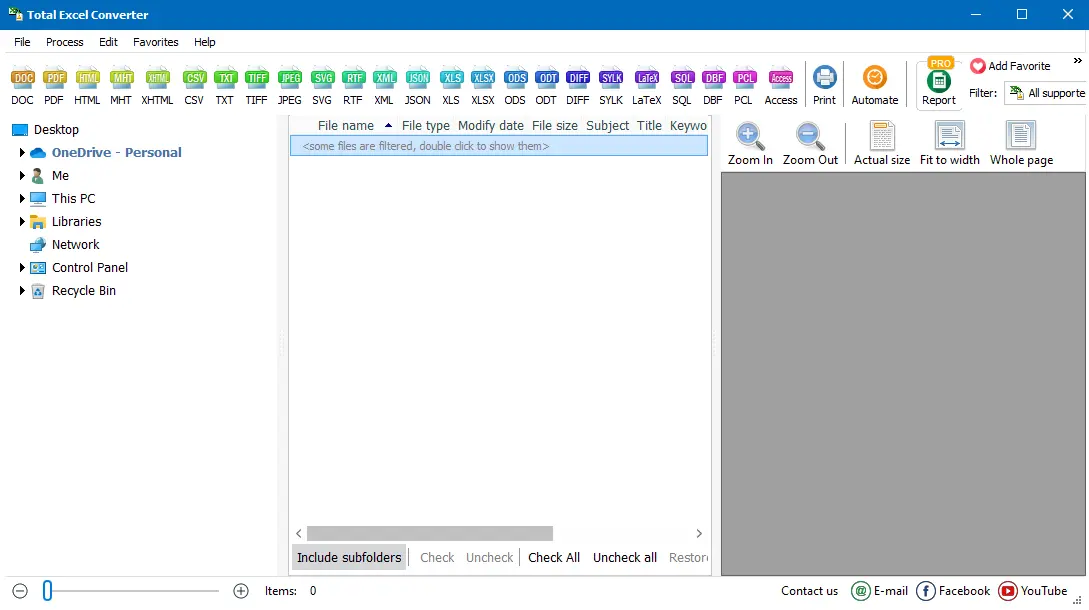
The entire conversion takes seconds, even for large batches. Your original XLSX files remain untouched.
Total Excel Converter includes a command-line interface for scripted or scheduled conversions:
ExcelConverter.exe C:\Data\report.xlsx C:\Output\report.xls
You can specify sheet selection, encoding, and other parameters directly in the command. This makes it easy to integrate XLSX-to-XLS conversion into automated workflows, nightly ETL jobs, or server-side processes using .bat files or PowerShell scripts.
 Batch processing. Select hundreds of XLSX files and convert them to XLS in one run. Processing an entire folder takes about as long as converting a single file.
Formatting preservation. Fonts, cell colors, borders, merged cells, number formats, and conditional formatting survive the conversion. Your XLS files look just like the XLSX originals.
Formula translation. Cell formulas, cross-sheet references, and named ranges are converted accurately. Formulas that use functions available in both formats work identically in the output file.
Built-in viewer. Preview any spreadsheet before conversion to verify that the source data and layout are correct.
No cloud uploads. All processing happens on your PC. Confidential financial data, HR spreadsheets, and trade secrets never leave your machine.
20+ output formats. Besides XLS, convert XLSX to PDF, DOC, HTML, CSV, XML, SQL, ODS, DBF, LaTeX, DIFF, SYLK, and more — all from the same tool.
| Feature | Online Tools | Total Excel Converter |
|---|---|---|
| File size limit | 10–100 MB | No limit |
| Batch conversion | Limited or paid | Unlimited |
| Privacy | Files uploaded to cloud | 100% offline |
| Speed | Depends on connection | Instant (local) |
| Automation | API (paid plans) | Built-in command line |
| Row limit handling | May silently truncate | Warns about 65,536-row limit |
| Pricing | Subscription | One-time $49.90 |

(includes 30 day FREE trial)
(only $49.90)
Download free trial and convert your files in minutes.
No credit card or email required.

Related Topics
Total Excel Converter