Need help? Reach us at 

 +1 (855) 418-2323
Need help? Reach us at
+1 (855) 418-2323

 File Converters TIFF and PDF apps Forensic Freeware
Download Total Thunderbird Converter and save your Thunderbird emails as PDF documents today.
(includes 30 day FREE trial)
(only $49.90)
Quick answer: To convert MBox to PDF, launch Total Thunderbird Converter so it detects your profile, check the mail folders, click the PDF button, set page size, margins and header or footer, choose one PDF per email or all merged, pick a destination, then click Start. Each email becomes a formatted PDF with attachments saved alongside, in one offline batch with a free 30-day trial.
MBox is a plain-text email storage format used by Thunderbird, Apple Mail, and other mail clients. Messages are stored sequentially in a single file — one MBox file per mail folder. MBox files can only be opened by email applications that support the format.
PDF (Portable Document Format) is the universal standard for sharing documents. PDF files look identical on every device, cannot be accidentally edited, and are accepted by courts, regulators, and archival systems worldwide. Every computer, phone, and tablet can display PDF files without special software.
Converting MBox to PDF turns email messages into permanent, shareable documents. The email header (sender, recipient, date, subject) and the full message body are rendered as a formatted page. PDFs can be printed, attached to reports, submitted as evidence, or stored in document management systems where MBOX files are not supported.
The resulting PDFs are ready to print, email, archive, or import into a document management system.
Total Thunderbird Converter includes a command-line interface for scripted and automated exports:
ThunderbirdConverter.exe -sPDF "C:\Users\John\AppData\Roaming\Thunderbird\Profiles\abc123.default\Mail\Local Folders\Inbox" C:\Output\
Additional flags control the output:
-PageSize A4 — set PDF page dimensions-MergeAll — combine all emails into one PDF fileSave the command in a .bat file and schedule it with Windows Task Scheduler to generate automated email archives.
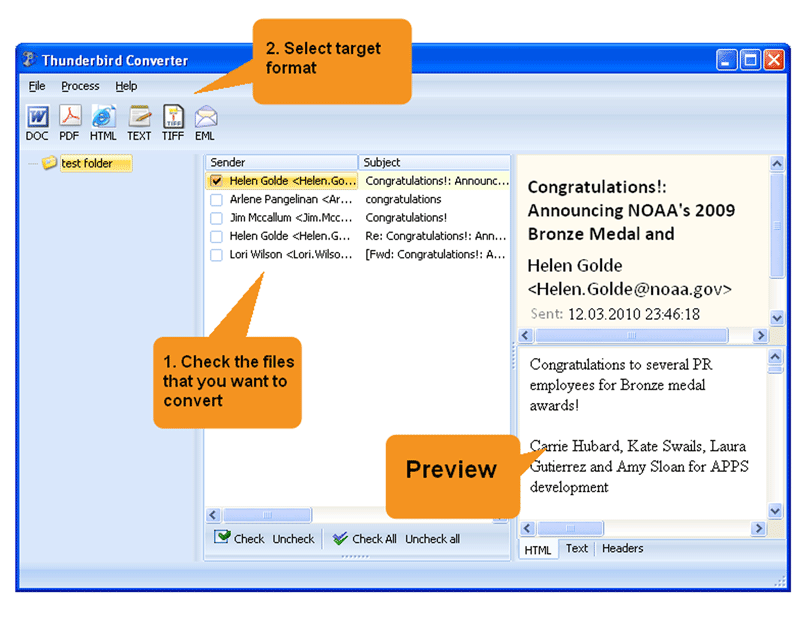
 Direct Thunderbird access. The converter connects to your Thunderbird profile automatically. All mail folders appear in a familiar tree view — no need to locate MBOX files manually on disk.
Formatted PDF output. Emails are rendered as clean, readable documents with header fields (From, To, Date, Subject) at the top and the message body below. HTML emails retain their formatting.
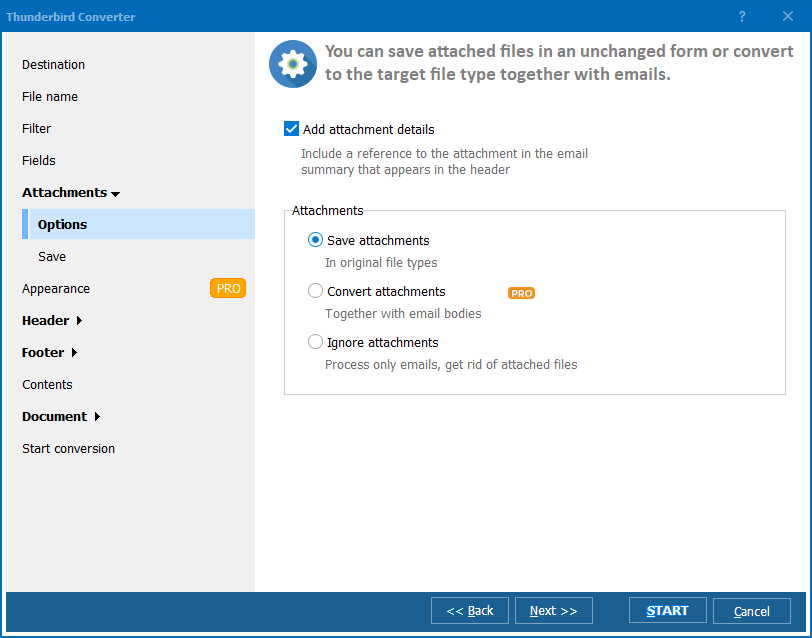
Attachment handling. Attachments can be saved alongside the PDF files in a companion folder, keeping the email content and its files together.
Merge option. Combine all emails from a folder into a single PDF document for easy review. A 500-email folder becomes one searchable PDF file instead of 500 separate documents.
Batch processing. Convert thousands of emails from multiple folders in one session. The converter handles large mailboxes without memory issues.
No cloud upload. All processing happens on your PC. Confidential correspondence, client communications, and internal emails stay on your machine.
| Feature | Print to PDF / Forward | Total Thunderbird Converter |
|---|---|---|
| Batch conversion | One email at a time | Thousands in one run |
| Consistent formatting | Varies by printer driver | Uniform page layout |
| Header fields | May be incomplete | Full header: From, To, Date, CC, BCC |
| Attachments | Not included | Saved alongside PDF |
| Merge option | Not available | All emails in one PDF |
| Automation | Manual only | Command line + Task Scheduler |
| Cost | Free (your time) | One-time $49.90 |

(includes 30 day FREE trial)
(only $49.90)
Download free trial and convert your files in minutes.
No credit card or email required.

Related Topics
Total Thunderbird Converter