Need help? Reach us at 

 +1 (855) 418-2323
Need help? Reach us at
+1 (855) 418-2323

 File Converters TIFF and PDF apps Forensic Freeware
Download Total Thunderbird Converter and turn your Thunderbird emails into Excel spreadsheets today.
(includes 30 day FREE trial)
(only $49.90)
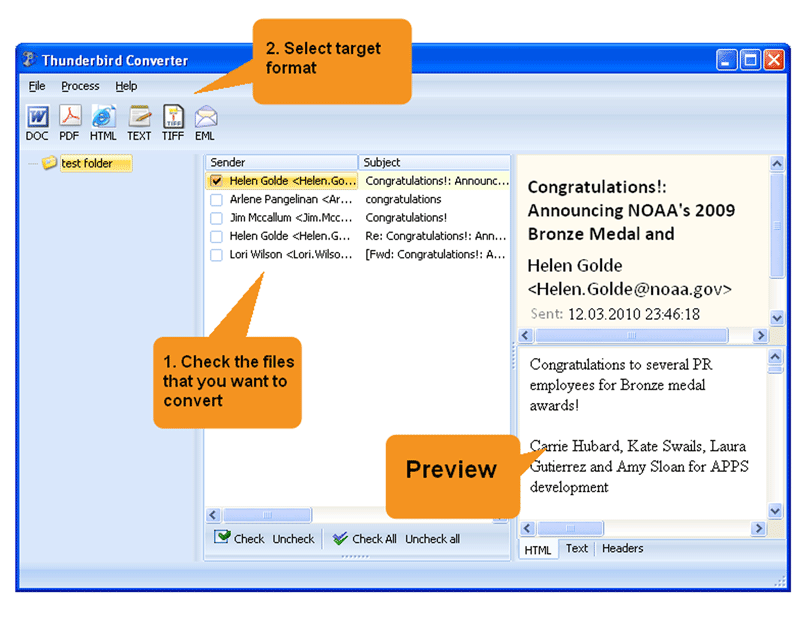
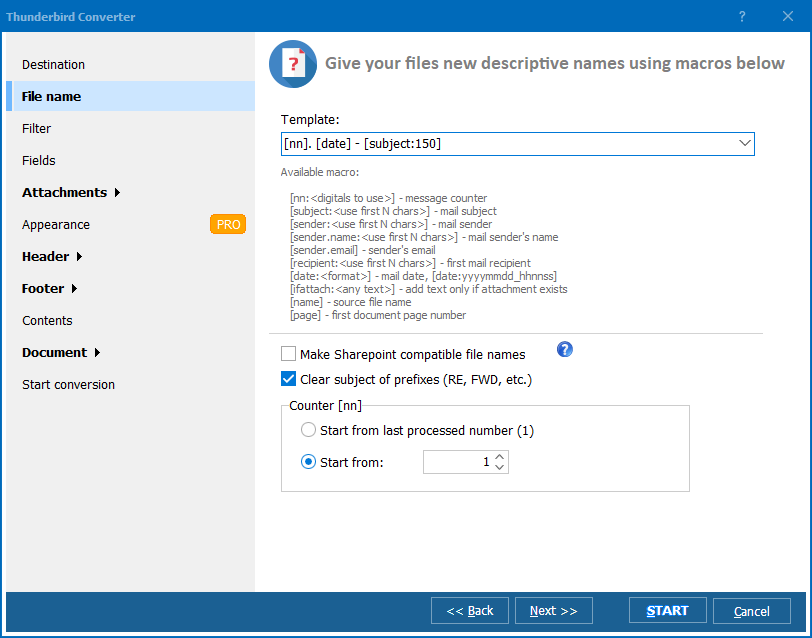
Quick answer: To convert MBox to XLS, launch Total Thunderbird Converter so it detects your profile, check the mail folders, click the XLS button, choose which email fields become columns, set the destination and whether to merge folders, then click Start. Each email becomes one spreadsheet row ready for sorting and pivot tables, in one offline batch with a free 30-day trial.
MBox is a plain-text file format that stores email messages sequentially — each message starts with a "From " line, followed by headers and body text. Mozilla Thunderbird uses MBox as its default storage: one MBox file per mail folder (Inbox, Sent, Drafts). MBox files are not designed for data analysis, filtering, or reporting.
XLS is the binary spreadsheet format used by Microsoft Excel 97–2003 and readable by every modern spreadsheet application. XLS stores data in rows and columns with support for sorting, filtering, formulas, and pivot tables.
The conversion creates a structured table from unstructured email data. Each email becomes a row, and each email field (sender, date, subject, body) becomes a column. Once in XLS, you can sort emails by date, filter by sender, count messages per month, or build charts — tasks that are impossible inside Thunderbird.
Open the resulting XLS file in Excel, LibreOffice Calc, or Google Sheets. Apply filters, create pivot tables, or use formulas to analyze your email data.
Total Thunderbird Converter includes a command-line interface for automated exports:
ThunderbirdConverter.exe -sXLS "C:\Users\John\AppData\Roaming\Thunderbird\Profiles\abc123.default\Mail\Local Folders\Inbox" C:\Output\Inbox.xls
Additional flags control the output:
-IncludeFields "From,To,Date,Subject" — select specific columns-MergeAll — combine all folders into one XLS fileSave the command in a .bat file and schedule it with Windows Task Scheduler to generate weekly or monthly email reports automatically.
 Direct Thunderbird access. The converter connects to your Thunderbird profile automatically. All mail folders appear in a tree view — no need to hunt for MBOX files on disk.
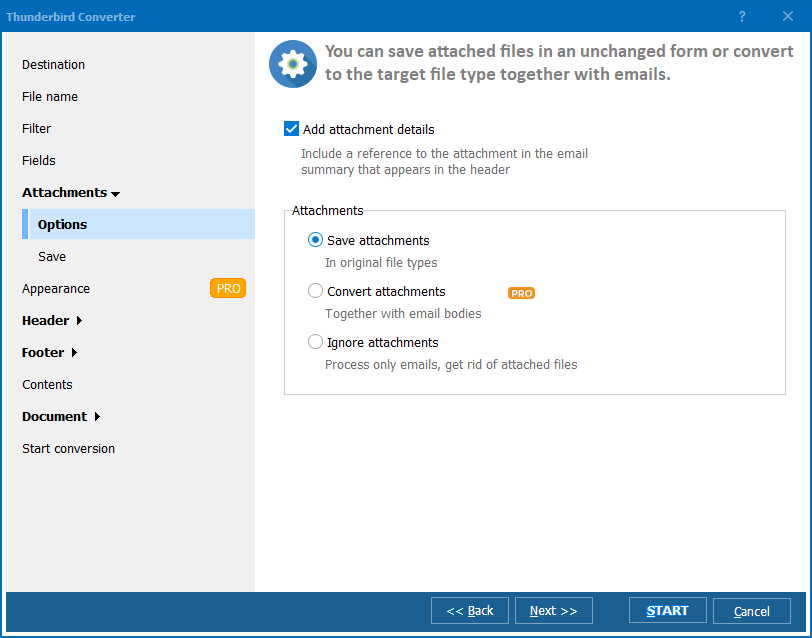
Selective field export. Choose exactly which email fields become spreadsheet columns. Include sender, recipient, date, subject, body, CC, BCC, and attachment names — or exclude what you do not need to keep the spreadsheet clean.
Batch processing. Export thousands of emails from multiple folders in one run. The converter handles mailboxes of any size without running out of memory.
Merge or split. Create one XLS file per Thunderbird folder, or merge all selected folders into a single spreadsheet for unified analysis.
No cloud upload. All processing happens on your PC. Client emails, internal correspondence, and confidential data never leave your machine.
Multiple output formats. Besides XLS, export Thunderbird emails to PDF, DOC, HTML, PST, TXT, or EML from the same tool.
| Feature | Manual / Scripts | Total Thunderbird Converter |
|---|---|---|
| Setup time | Hours (write parser) | Minutes (install and run) |
| Field selection | Custom coding | Checkboxes in wizard |
| Batch conversion | Manual per folder | All folders at once |
| MIME decoding | You handle encoding | Automatic |
| Attachment listing | Complex parsing | Built-in column |
| Automation | Custom scripts | Command line + Task Scheduler |
| Cost | Free (your time) | One-time $49.90 |

(includes 30 day FREE trial)
(only $49.90)
Download free trial and convert your files in minutes.
No credit card or email required.

Related Topics
Total Thunderbird Converter