Need help? Reach us at 

 +1 (855) 418-2323
Need help? Reach us at
+1 (855) 418-2323

 File Converters TIFF and PDF apps Forensic Freeware
You are migrating from Microsoft Outlook to Mozilla Thunderbird, Apple Mail, or a Linux-based email client. Your emails are locked inside a PST file that none of these programs can open directly. Total Outlook Converter reads the PST, extracts every email with its attachments, headers, and folder structure, and saves them in MBox format — the standard mailbox file used by Thunderbird, Apple Mail, Eudora, Evolution, Mutt, and dozens of other clients.
Quick answer: To convert PST to MBox, launch Total Outlook Converter, open the PST via File then Open PST, select a folder and tick the emails with Check All, click the MBox button, set the destination folder and attachment handling in the wizard, then click Start. Each PST folder becomes an MBox file ready to import into Thunderbird or Apple Mail — no Outlook needed and no file-size limit.
PST (Personal Storage Table) is a proprietary Microsoft format used by Outlook to store emails, contacts, calendar entries, and tasks in a single binary file. PST files can only be opened natively by Microsoft Outlook. The internal structure uses a B-tree-based database with encryption and compaction mechanisms specific to Microsoft.
MBox is an open, text-based format that stores multiple email messages in a single file. Each message starts with a "From " line separator followed by RFC 5322 headers and the message body. MBox has been used since the early days of Unix mail systems and remains the standard import format for Thunderbird, Apple Mail, Evolution, and most open-source email clients.
| Feature | PST | MBox |
|---|---|---|
| Format type | Proprietary binary (Microsoft) | Open text-based standard |
| Supported by | Microsoft Outlook only | Thunderbird, Apple Mail, Evolution, Mutt, Claws Mail, many more |
| Message storage | B-tree database with indexes | Concatenated text, "From " line separator |
| Attachments | Embedded in proprietary MAPI structures | MIME-encoded inline |
| Max file size | 50 GB (Outlook 2010+) | No theoretical limit |
| Platform | Windows | Cross-platform (Windows, macOS, Linux) |
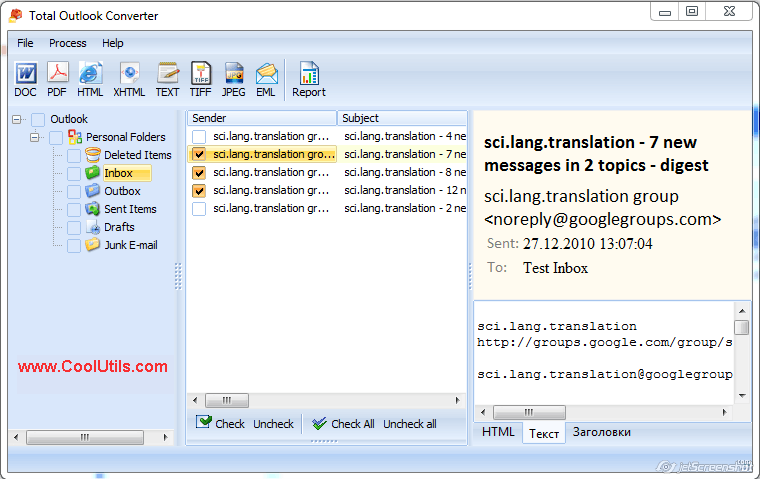
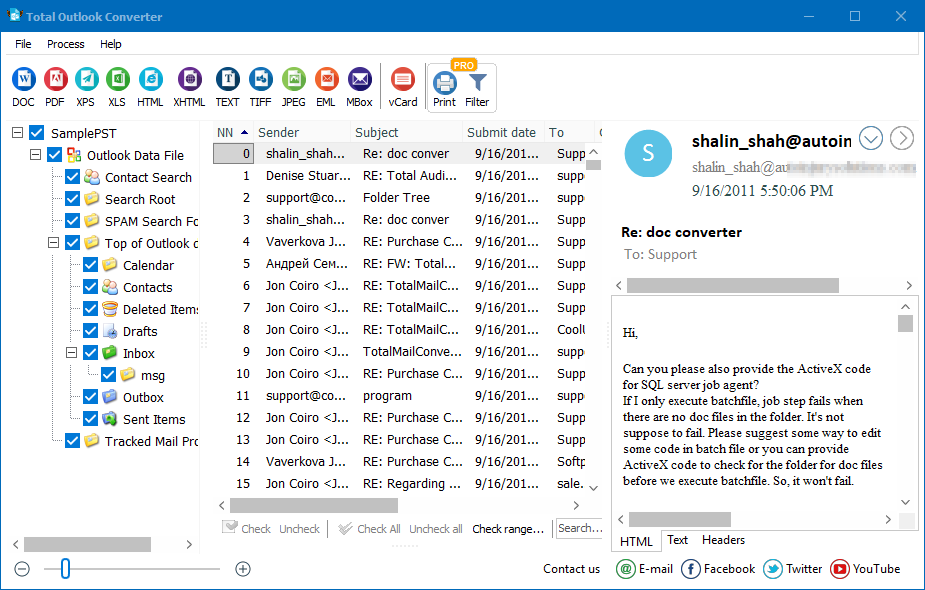
Launch Total Outlook Converter. The left panel shows the folder tree from the default Outlook PST. To open a different PST file, go to File → Open PST and browse to the file. You can also open OST files the same way.
Click a folder in the tree (Inbox, Sent Items, Drafts, etc.). The message list shows every email with its sender, subject, date, and size. Tick individual messages or click Check All to select every email in the folder.
Click the MBox button on the toolbar. The conversion wizard opens with output options.
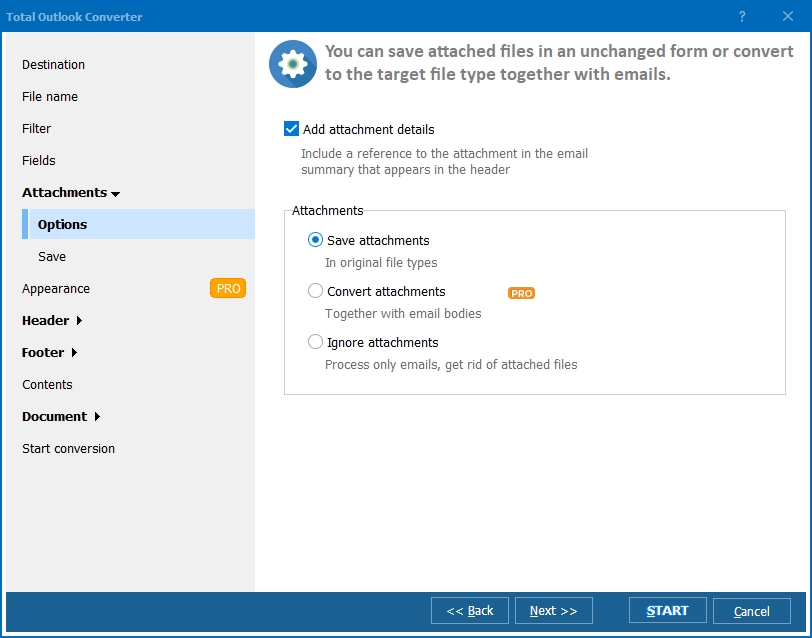
Set the destination folder for the MBox file. Choose how to handle attachments: embed them inside the MBox (MIME-encoded), save to a separate folder, or skip. Enable time zone synchronization if emails come from different time zones.
Click Start. The converter processes every selected email and writes them into MBox files. A progress bar tracks the operation. When done, the log shows a summary with the number of successfully converted messages.
Total Outlook Converter includes a command-line interface for scripted and automated workflows:
OutlookConverter.exe "C:\Mail\archive.pst" -aMBOX -o "C:\Export\mbox\"
Parameters: PST file path, -aMBOX sets MBox as the output format, -o specifies the output folder. Add this command to a .bat script and schedule it with Windows Task Scheduler for nightly mailbox exports.
Additional flags: -f "Inbox" limits conversion to a specific folder, -att separate saves attachments to a subfolder, -tz sync normalizes time zones.
| Email Component | What Total Outlook Converter Does |
|---|---|
| Message headers (From, To, CC, BCC, Subject, Date) | Preserved in full. RFC 5322 headers are written into the MBox exactly as they appear in the PST. |
| HTML body | Kept as-is. Formatting, inline images, and links are preserved in the MIME structure. |
| Plain text body | Included as a separate MIME part (multipart/alternative). |
| Attachments | Three options: embed inside MBox as MIME attachments, save to a separate folder as individual files, or skip. |
| Folder structure | Each PST folder (Inbox, Sent Items, etc.) is exported as a separate MBox file, preserving the original hierarchy. |
| Timestamps | Send/receive dates are preserved. Optional time zone synchronization normalizes dates across zones. |
| Read/unread status | Stored in MBox "Status" header where supported by the target client. |
| Feature | Online PST-to-MBox Services | Total Outlook Converter |
|---|---|---|
| Privacy | You upload your email archive to a third-party server. Every message, attachment, and contact is exposed. | Runs locally on your machine. No data leaves your computer. |
| File size limit | Typically 50–200 MB. Large PST files are rejected. | No limit. Handles PST files of any size. |
| Batch processing | Usually one file at a time, with manual steps. | Process entire folders or multiple PST files in one batch. |
| Attachment handling | Limited or no control over attachments. | Embed, extract to folder, or skip — your choice. |
| Speed | Depends on upload speed. Slow for large files. | Runs at local disk speed. Thousands of emails in minutes. |
| Automation | Not available. | Command-line interface with scripting and scheduling. |
| Cost | Free for small files, paid subscriptions for larger ones. | One-time purchase: $49.90. Free 30-day trial. |
Total Outlook Converter has its own PST parser. It reads PST files directly without requiring Microsoft Outlook on the machine. Install the converter on any Windows computer and start exporting immediately.
Select all emails in a PST folder or across multiple folders and convert them to MBox in one operation. No need to process messages one by one. Thousands of emails are converted in minutes.
Choose what happens to attachments: embed them inside the MBox (standard MIME encoding), extract them to a separate folder (organized by message), or skip them entirely if you only need the message text.
Each PST folder (Inbox, Sent Items, Drafts, custom folders) is exported as a separate MBox file. Import these files into Thunderbird and the original folder structure reappears.
Run conversions from the command line, .bat scripts, or Task Scheduler. Automate nightly exports from shared mailbox PSTs. Integrate into IT migration workflows without manual steps.
MBox is one of many supported formats. Total Outlook Converter also exports PST emails to EML, PDF, DOC, HTML, TXT, TIFF, XPS, and more — all from the same interface.
Download the free 30-day trial — no email or credit card required. A personal license costs $49.90 and includes one year of free upgrades. Works on Windows 7/8/10/11.
Download Free Trial Buy License — $49.90
Download free trial and convert your files in minutes.
No credit card or email required.

Related Topics
Convert PST to TIFF