Need help? Reach us at 

 +1 (855) 418-2323
Need help? Reach us at
+1 (855) 418-2323

 File Converters TIFF and PDF apps Forensic Freeware
You are migrating from Microsoft Outlook to Thunderbird, eM Client, or another email application that reads EML files. Outlook stores everything in a monolithic PST archive — thousands of emails locked inside a single file. The target client expects individual EML files, one per message. Total Outlook Converter opens any PST file, lets you browse folders and preview messages, and exports selected emails to EML in batch — preserving headers, body text, inline images, and attachments.
Quick answer: To convert PST to EML, launch Total Outlook Converter, open the PST via File then Open PST, pick a folder and tick the emails with Check All, click the EML button, set the output folder, file-naming pattern, and attachment handling in the wizard, then click Start. Each email is saved as an individual EML file with headers, body, and attachments intact — in batch, with no Outlook required.
Microsoft Outlook's proprietary archive format. A single PST file contains an entire mailbox: emails, contacts, calendar events, tasks, and notes organized in a folder hierarchy. PST files can grow to 20–50 GB. Only Outlook (and a few specialized tools) can open them. If you leave Outlook, your emails stay trapped inside the PST.
An open standard (RFC 5322) where each file stores one email message with all its headers, body (plain text and HTML), inline images, and attachments encoded in MIME format. EML files are supported by Thunderbird, eM Client, Windows Mail, Apple Mail, and dozens of other clients. One EML = one email = one portable file.
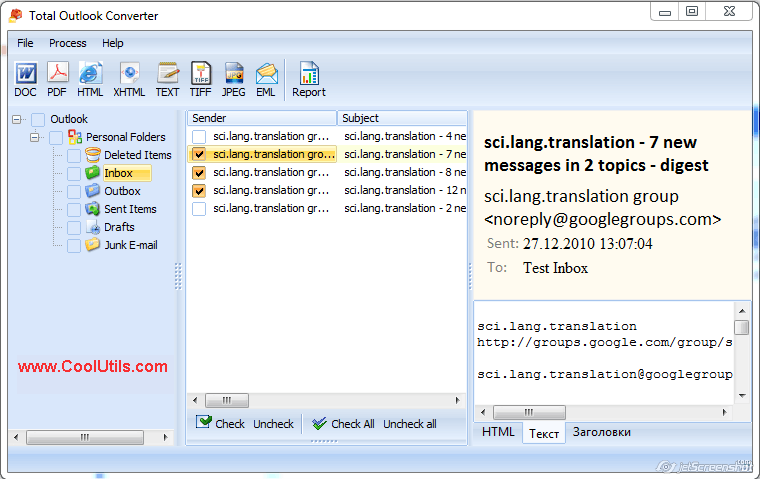
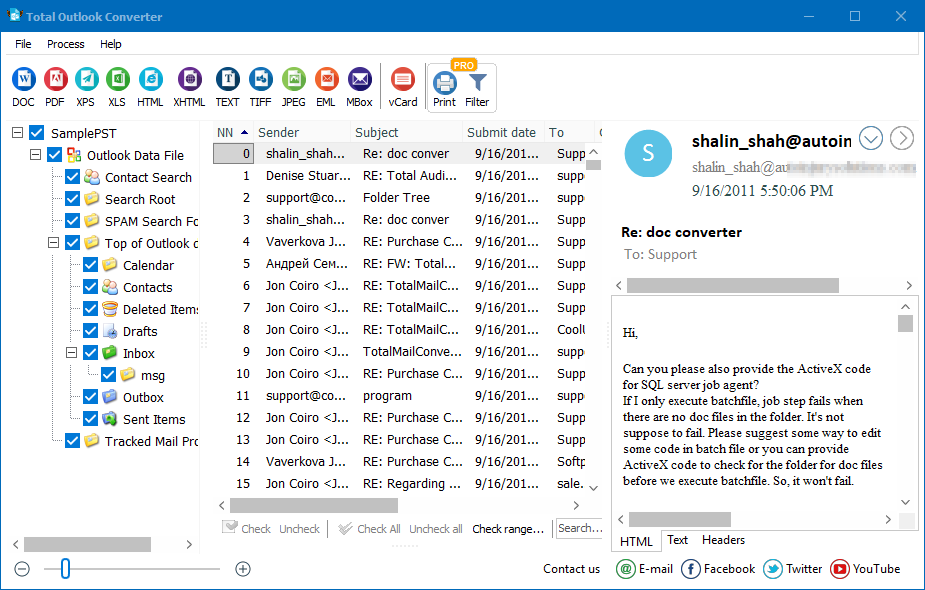
Launch Total Outlook Converter. The left panel shows Outlook folders from the default PST file: Inbox, Sent Items, Drafts, Deleted Items, and custom folders. To open a different PST, use File → Open PST and browse to the file. The converter reads PST files from Outlook 2003 through Microsoft 365.
Click a folder (e.g., Inbox). The email list shows Sender, Subject, and Date. The right panel previews the selected message — HTML body, plain text, and headers. Tick individual emails or click Check All to select every message in the folder.
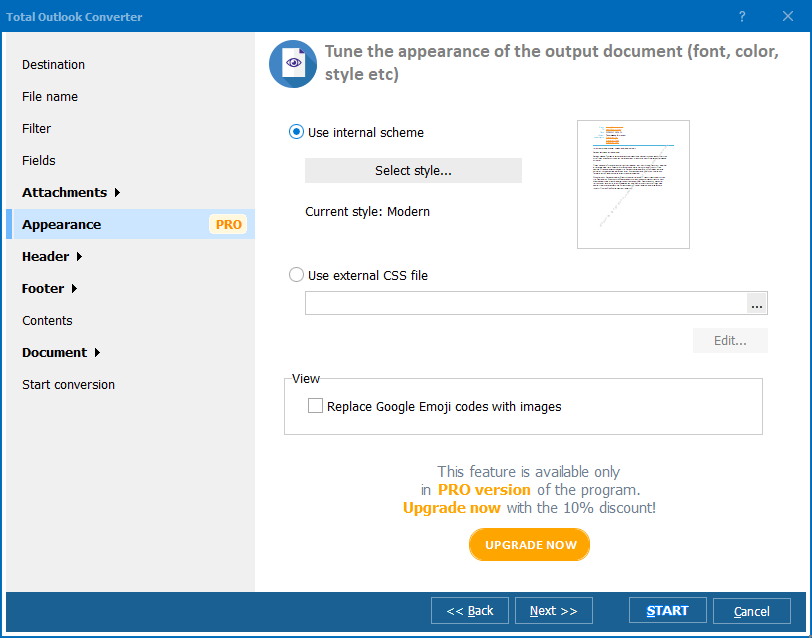
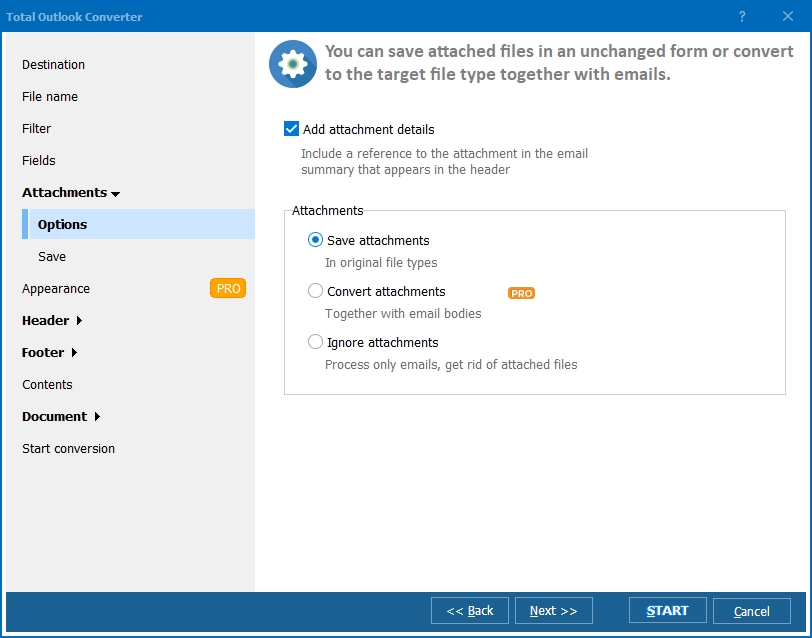
Click the EML button on the toolbar. The conversion wizard opens.
Press Start. Total Outlook Converter extracts each email from the PST and writes an EML file with the complete MIME structure — headers, HTML body, plain-text alternative, inline images, and attachments. A progress log shows the status. Thousands of emails are processed without manual intervention.
Total Outlook Converter includes a command-line interface for automated processing:
OutlookConverter.exe "C:\Mail\archive.pst" -cEML -o "C:\Output\EML\" -nDate_Subject
Parameters: PST file path, -cEML sets the target format, -o specifies the output folder, -nDate_Subject names files by date and subject. Save this in a .bat file and run it via Windows Task Scheduler. Automate weekly PST-to-EML exports for backup or migration staging.
| Email Component | Preserved in EML? | Details |
|---|---|---|
| Headers (From, To, CC, BCC, Date, Subject) | Yes | All original headers including routing information |
| HTML body | Yes | Formatting, fonts, colors, tables, links |
| Plain-text body | Yes | Stored as a MIME alternative part |
| Inline images | Yes | Embedded as MIME parts, referenced from HTML |
| File attachments | Yes | Any file type — PDF, DOCX, ZIP, images |
| Read/unread status | Yes | Message flags preserved in headers |
| Folder structure | Mirrored | Subfolders in PST become subfolders in the output directory |
| Feature | Manual (drag from Outlook) | Total Outlook Converter |
|---|---|---|
| Batch export | One email at a time (drag and drop) | Entire folders — thousands of emails in one click |
| File naming | Outlook's default (often cryptic) | Custom patterns: Date, Subject, Sender, or macros |
| Requires Outlook running | Yes | No — reads PST files directly |
| Attachment handling | Embedded only | Embedded or saved separately |
| Folder structure | Lost — all messages in one pile | Preserved — subfolders mirrored on disk |
| Command-line automation | Not possible | Full CLI with all options |
| Works with archived PST from another PC | Must import into Outlook first | Opens any PST file directly |
Total Outlook Converter opens PST files as a standalone Windows application. You do not need Microsoft Outlook installed or running. Process archived PSTs from another computer, a backup drive, or a forensic image.
Name output EML files by Subject, Date, Sender, or a custom template using macros. Avoid the generic "message.eml" problem — every file gets a meaningful name you can find later.
Inbox, Sent Items, Drafts, and custom folders from the PST are mirrored as subdirectories in the output. The email structure survives the migration intact.
Keep attachments embedded inside the EML (standard RFC 5322 behavior) or extract them to a subfolder alongside each message. Useful when you need attachments as standalone files for further processing.
The same tool converts PST emails to PDF, DOC, HTML, TXT, TIFF, JPEG, MSG, and XHTML. If the migration target changes or you need a different format for archival, switch with one click. No additional software needed.
Download the free 30-day trial — no email or credit card required. A personal license costs $49.90 and includes one year of free upgrades. Works on Windows 7/8/10/11.
Download Free Trial Buy License — $49.90
"We migrated 300 staff mailboxes from Outlook to Thunderbird. Each PST had 5-15 years of email. Total Outlook Converter processed them in batch — one PST at a time, all folders preserved as subdirectories on disk. Thunderbird imported the EML files directly. The file naming by date and subject made everything searchable from day one."
 Marcus Lindgren System Administrator, University IT Department
"We extract custodian PSTs for e-discovery review. Our platform ingests EML files, not PST. Total Outlook Converter splits a 20 GB PST into individual EMLs with attachments intact. The command-line mode lets us script the extraction for multiple custodians overnight. Reliable and fast."
Rachel Kim Litigation Support Specialist
"Clients hand me old PST backups from decommissioned Exchange servers and ask to make the emails accessible on Mac. EML is the answer — Apple Mail opens them natively. Total Outlook Converter handles even corrupted PSTs where Outlook itself refuses to import. The preview pane lets me verify content before exporting."
 Henrik Poulsen Freelance IT Consultant
Download free trial and convert your files in minutes.
No credit card or email required.

Related Topics
Convert PST to TIFF

