Need help? Reach us at 

 +1 (855) 418-2323
Need help? Reach us at
+1 (855) 418-2323

 File Converters TIFF and PDF apps Forensic Freeware
(includes 30 day FREE trial)
(only $59.90)
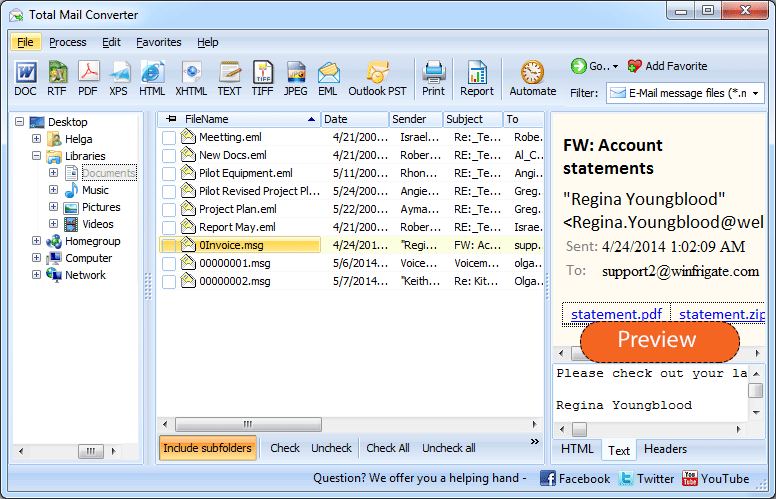
Quick answer: To convert MSG to EML, install Total Mail Converter, open the folder of MSG files, tick the messages or click Check All, click the EML button, choose the destination folder and a file-naming template, then press Start. Each MSG becomes a standard RFC 5322 EML file with headers, body, and attachments intact — in one batch, with no Outlook required.
MSG is Microsoft Outlook's proprietary format based on OLE Compound Document (CFBF) binary structure. Each MSG file contains the complete email: sender, recipients, subject, date, message body (HTML, RTF, or plain text), embedded images, file attachments, and Outlook-specific metadata such as categories, follow-up flags, and reminders. Only Outlook or MSG-aware utilities can parse this format. You cannot open an MSG file in a text editor, a web browser, or a non-Microsoft email client.
EML is a plain-text format defined by RFC 5322. Each file stores one email message with MIME-encoded headers, body (HTML and plain-text alternatives), inline images, and file attachments. Open any .eml file in a text editor and you see human-readable From, To, Subject, and Date lines. Thunderbird, Apple Mail, Windows Mail, eM Client, Mailbird, and dozens of other clients read EML natively. One EML = one email = one portable, universally accessible file.
MSG locks your emails inside Microsoft's ecosystem. EML gives you universal access and long-term portability. If you leave Outlook, your .msg files become inaccessible without a converter. EML files remain readable on any platform, any operating system, and any email client for years to come.
Once converted, import the EML files into Thunderbird by dragging them into a folder in the mailbox panel. Apple Mail, eM Client, and Windows Mail also accept EML files directly — copy them to the client's storage directory or use the built-in import function.
MailConverter.exe "C:\Emails\*.msg" -sEML "C:\Output\EML\"
Parameters: source files (wildcards supported), -sEML sets the target format, and the last argument is the output folder. Save this command in a .bat file and schedule it with Windows Task Scheduler to automate nightly MSG-to-EML exports. The command-line version supports all options available in the GUI: file naming patterns, folder structure, and attachment handling.
| Feature | Manual (drag from Outlook) | Total Mail Converter |
|---|---|---|
| Batch export | One email at a time | Entire folders — thousands of files in one click |
| Attachment handling | Embedded, no control | Embedded as MIME parts, full control |
| Folder structure | Lost — all files in one pile | Preserved — subdirectories mirrored |
| File naming | Outlook's default (cryptic) | Custom patterns: Date, Subject, Sender |
| Speed | Manual drag-and-drop per file | Thousands of files per minute |
| Requires Outlook | Yes | No — reads MSG files independently |
| Command-line automation | Not possible | Full CLI with all options |
| Pricing | Requires Outlook license | $59.90 one-time, 30-day free trial |
Download the free 30-day trial — no email or credit card required. A personal license costs $59.90 and includes one year of free upgrades. Works on Windows 7/8/10/11.
Download Free Trial Buy License — $59.90
Download free trial and convert your files in minutes.
No credit card or email required.



Related Topics
Convert EML to Doc