Need help? Reach us at 

 +1 (855) 418-2323
Need help? Reach us at
+1 (855) 418-2323

 File Converters TIFF and PDF apps Forensic Freeware
Quick answer: Total Outlook Converter opens the PST file you point it at and shows its folders like an Outlook mailbox. Tick the messages you need, click the ODT icon at the top, choose which fields to export and what happens to attachments, then press Start. A hundred emails become OpenOffice documents in a minute or two. Free 30-day trial.
Microsoft Outlook stores emails in PST files. If you want to make them compatible with open-source office programs like OpenOffice or LibreOffice, you should convert PST to ODT. ODT is their native text format. This conversion is available in Total Outlook Converter, a program that is specially developed for exporting emails from Outlook to various document and image formats.
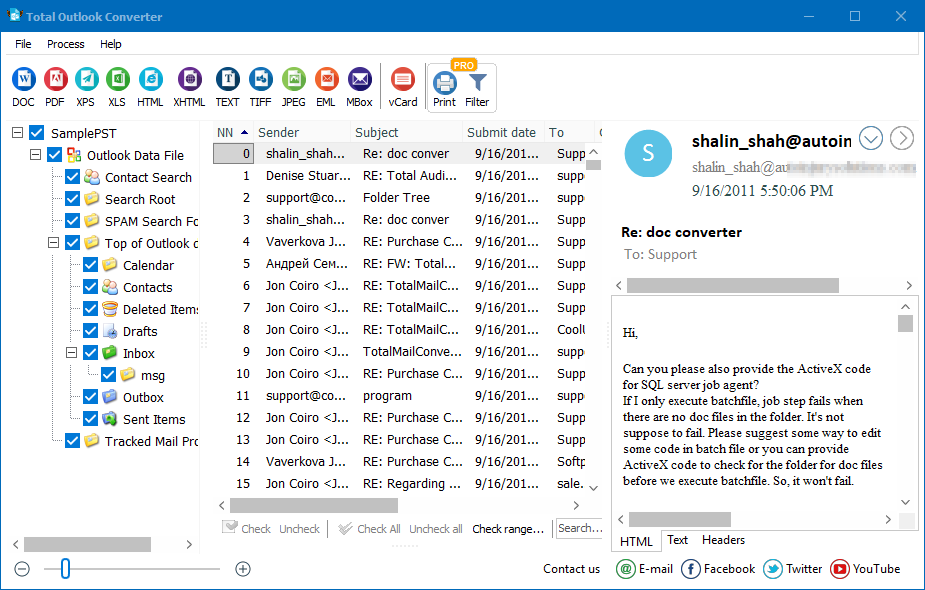
PST file contains the entire mail history, i.e. all messages you see in your mailbox. Total Outlook Converter allows exporting specific messages from this file to the desired format. This program asks you to connect proper PST file at the start, and then shows you its content in a view similar to Outlook mailbox. You can go through mail folders like Inbox or Sent to find required messages for conversion. In order to export messages from PST to Open Office document, you need to:
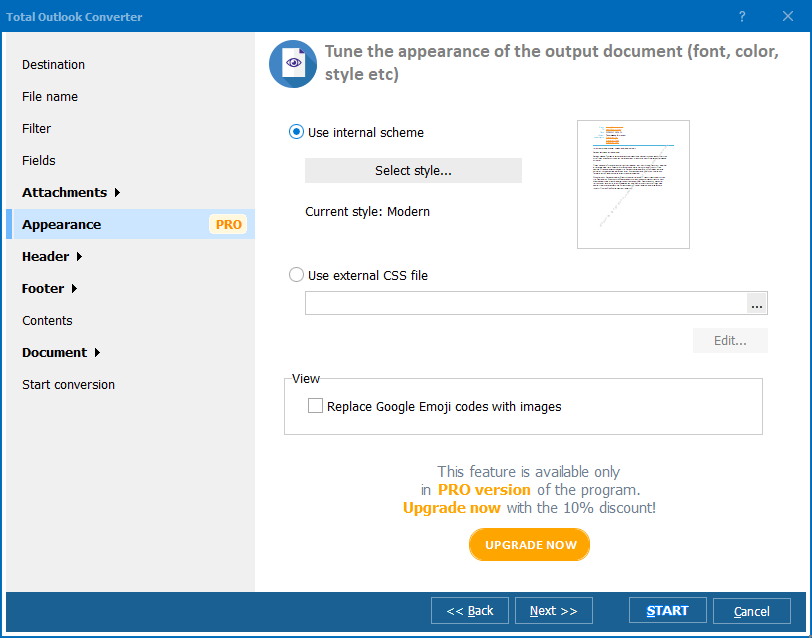
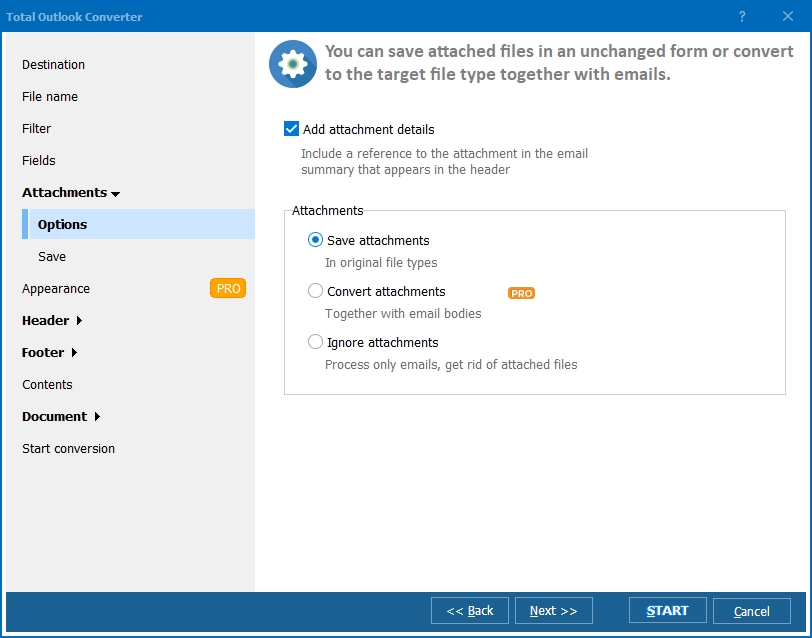
In Total Outlook Converter attachments can be saved to a new folder and get descriptive names so that you know which attachment belongs to which email. Total Outlook Converter Pro can also convert attached documents to ODT. Standard PST converter only saves files to your hard drive as they are.

This utility can convert emails in batches that makes a big favor when there is a lack of time. Just imagine - conversion of hundred emails can take a minute or two. The secret is in combining all source messages into one batch, setting all parameters once and processing them all together.
Total Outlook Converter download is free in a trial version. You can test all the features before buying a license. Demo version is available for 30 days.
Windows Vista/7/8/10/11
"Our team switched to LibreOffice, so old PST mail archives in Outlook format were useless without a converter. Total Outlook Converter turned the entire mailbox into ODT files in one batch, matching our office's native text format perfectly. Every message opened cleanly with formatting intact."
 Margarethe Voss Office Manager, Voss Architektur Studio
"We run OpenOffice across the school's computer labs, and staff kept asking how to read archived PST emails without Outlook. Batch converting the whole PST file to ODT solved it in minutes rather than exporting messages one at a time. The formatting and message dates carried over exactly as expected."
Rashid Malik Network Administrator, Malik Educational Trust
"Our organization moved to open-source office software, and years of PST correspondence needed a compatible format. Total Outlook Converter processed the batch conversion to ODT without any crashes, even on a fairly large mailbox. It would help to see a built-in preview of an ODT file before running the full batch."
 Corinne Fabre Administrative Coordinator, Fabre Nonprofit Alliance
Download free trial and convert your files in minutes.
No credit card or email required.

Related Topics
Convert PST to TIFF

